Stay ahead of expiring hoist load-test certificates
Every Monday, WebRun opens InspectAll, reads each crane and hoist load-test certificate's issue date, works out which certificates lapse within the next ninety days, logs them to a Google Sheet, and drafts a renewal notice email per customer in Gmail, then leaves each unsent for your team to review.
- No credit card
- Under $0.01 per run
- Cancel anytime
What does WebRun do on every run?
The exact actions WebRun takes, in order - in plain language, so you can adjust anything.
-
WebRun signs in and gets to work
Opens
www.inspectall.comin a real browser with your saved login - no setup, no API keys. -
1
InspectAll - find expiring load-test certs
inspectall.com How to Automate InspectAll

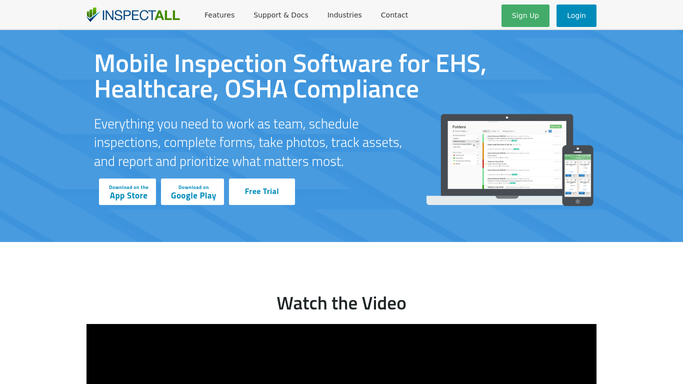
WebRun opens InspectAll to find hoist and crane load-test certificates expiring soon. - Open InspectAll and read the issue date on each crane and hoist load-test certificate
- Work out which certificates lapse within the next 90 days based on the annual cycle
- Note the customer, crane serial number, rated capacity, and certificate date
Done when Every load-test certificate expiring within 90 days is listed with its crane, capacity, and date.
-
2
Google Sheets - log the expiring certs
google.com How to Automate Google Sheets
WebRun logs the expiring load-test certificates to a Google Sheet. - Append a row per certificate: customer, serial number, capacity, issue date, expiry date, and days remaining
- Sort so the soonest-expiring certificates sit at the top
- Keep a rolling tab so the year's load-testing renewals are visible at a glance
Done when Every expiring certificate is logged and sorted by expiry date.
-
3
Gmail - draft renewal notices
gmail.com How to Automate Gmail
WebRun drafts the load-test renewal notices in Gmail and leaves them for review. - Draft a friendly renewal notice per customer noting which crane's load-test certificate is lapsing and when
- Reference the crane serial number and rated capacity and offer to schedule the retest
- Leave each notice unsent in drafts for your team to review and send. Never send it automatically
Done when A renewal notice is drafted and waiting in Gmail for a human to approve and send.


How do I track when hoist load-test certificates expire?
Every Monday, WebRun reads each crane and hoist load-test certificate date in InspectAll, works out which lapse within 90 days, and logs them to a Google Sheet sorted soonest-first. It drafts a renewal notice per customer in Gmail and leaves each unsent for your team to review, so no load-test certificate expires before you offer the retest.
- No load-test certificate lapses before a renewal is offered
- The year's retest renewals are visible in one sheet
- Customer renewal notices are ready to send in one click after review
Built for overhead crane service companies · load-test technicians · inspection coordinators · field-service teams
How is each run configured?
Secure by default
Connect once, stays signed in
WebRun signs in once and keeps each session in a persistent environment, so every run picks up right where it left off.
Every action is checked against this policy before it runs.
Questions, answered
Will it email customers about renewals without me?
No. WebRun drafts each renewal notice in Gmail and leaves it unsent. Your team reviews the crane, capacity, and dates, then sends it. Nothing reaches a customer until a person approves it.
How far ahead does it warn me?
It flags any load-test certificate that expires within 90 days and ranks the sheet so the soonest lapse is at the top, giving you time to schedule the retest before the certificate runs out.
Where do the certificate dates come from?
It reads the issue date on each crane and hoist load-test certificate recorded in InspectAll, so the expiry is calculated from your live records by serial number, not a separate log.
Related templates
Put this on autopilot.
Turn it on in minutes - or have our team set it up for you.