Give the front desk a daily run-down
Every morning, WebRun opens Cobot, reads today's room and desk bookings and the expected visitors and day-pass guests, logs them to a Google Sheet for the record, and posts the front desk a Slack digest of who is coming in, which rooms are booked, and any visitor who needs a welcome.
- No credit card
- Under $0.01 per run
- Cancel anytime
What does WebRun do on every run?
The exact actions WebRun takes, in order - in plain language, so you can adjust anything.
-
WebRun signs in and gets to work
Opens
www.cobot.mein a real browser with your saved login - no setup, no API keys. -
1
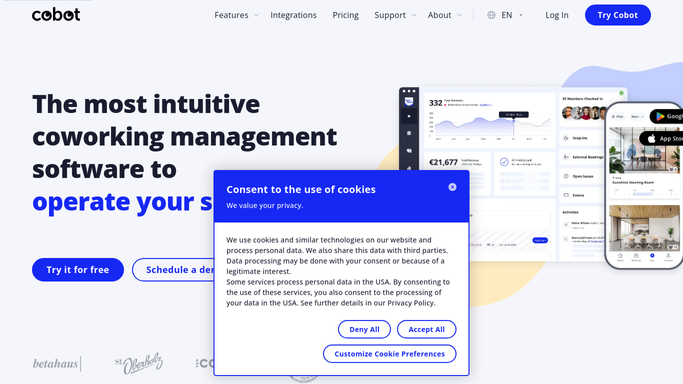
Cobot - pull today's bookings and visitors
cobot.me

WebRun opens Cobot to read today's bookings and expected visitors. - Open the Cobot activity dashboard and read today's bookings
- Capture each room and desk booking with its member, time, and space
- Pull expected visitors, drop-ins, and day-pass guests from Contacts for today
Done when Today's bookings and expected visitors have all been captured.
-
2
Google Sheets - log the day's arrivals
google.com How to Automate Google Sheets
WebRun logs the day's bookings and visitors into Google Sheets. - Open the daily arrivals sheet and add today's date as a new section
- Write one row per booking and per expected visitor with time and host
- Mark any first-time visitor so the front desk knows to greet them
Done when Today's bookings and visitors are recorded in the sheet.
-
3
Slack - post the front-desk digest
slack.com How to Automate Slack
WebRun posts the day's front-desk digest to Slack. - Post the front desk a digest of today's bookings in time order
- List expected visitors and day-pass guests with their host
- Flag first-time visitors and any back-to-back room turnovers to prep for
Done when The front desk has today's bookings-and-visitor digest in Slack.


How do I send the front desk a daily coworking bookings and visitor digest?
Every morning, WebRun opens Cobot, reads today's room and desk bookings and the expected visitors and day-pass guests, and logs them to a Google Sheet. It posts the front desk a Slack digest in time order, with each visitor's host and first-timers flagged, so the desk knows who is coming in before the doors open.
- The front desk starts the day knowing every booking and visitor
- First-time visitors get a prepared welcome, not a scramble
- Room turnovers are spotted early so spaces are ready on time
Built for coworking spaces · flex office operators · front desk teams · community managers
How is each run configured?
Secure by default
Connect once, stays signed in
WebRun signs in once and keeps each session in a persistent environment, so every run picks up right where it left off.
Every action is checked against this policy before it runs.
Questions, answered
Does it change bookings or contact visitors?
No. WebRun only reads the Cobot activity dashboard and Contacts. It never edits a booking or messages a visitor. The digest and sheet are read-only outputs the front desk uses to prepare for the day.
Where does the visitor list come from?
From Cobot Contacts and today's bookings, which track expected visitors, drop-ins, day-pass guests, and event attendees. WebRun pulls everyone due in today and notes who their host is.
Can the front desk get this before opening?
Yes. WebRun runs early each morning so the digest is in Slack before the doors open, giving the front desk time to prep rooms and ready a welcome for first-time visitors.
Related templates
Put this on autopilot.
Turn it on in minutes - or have our team set it up for you.