Prepare door access changes for an admin to approve
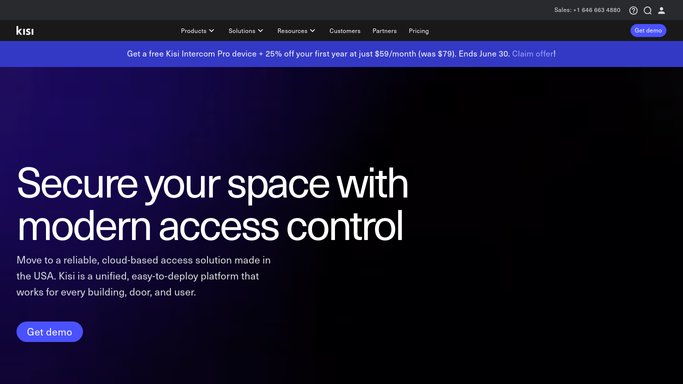
Every morning, WebRun opens Kisi, reviews who is in each access group against your current member roster, prepares the access changes that are needed, writes them to a Google Sheet, and posts an admin a Slack approval list. WebRun never adds or removes door access itself: an admin approves every change.
- No credit card
- Under $0.01 per run
- Cancel anytime
What does WebRun do on every run?
The exact actions WebRun takes, in order - in plain language, so you can adjust anything.
-
WebRun signs in and gets to work
Opens
web.kisi.ioin a real browser with your saved login - no setup, no API keys. -
1
Kisi - review access groups
getkisi.com

WebRun opens the Kisi dashboard to review who is in each access group. - Open the Kisi admin dashboard and open the Members tab and access groups
- Compare who has access at each place and group against your current member roster
- Note members who should be added, members who have left and should be removed, and any mismatched group
Done when Every access mismatch between Kisi and the roster has been identified.
-
2
Slack - send the approval list
slack.com How to Automate Slack
WebRun posts an admin the proposed access changes for approval. - Post an admin a clear approval list of access to add and access to remove, with the reason for each
- Make explicit that no change has been applied and that the admin must approve and make each one in Kisi
- Group active-member additions and departed-member removals so the admin can act quickly
Done when An admin has a Slack approval list of proposed access changes, none applied.
-
3
Google Sheets - log proposed changes
google.com How to Automate Google Sheets
WebRun logs the proposed access changes into Google Sheets for the record. - Open the access-review sheet and add today's date as a new section
- Write one row per proposed change with member, place or group, action, and reason
- Leave a column for the admin to mark each change done once they apply it in Kisi
Done when Every proposed access change is logged in the sheet with an approval column.


How do I keep coworking door access in sync without auto-provisioning?
Every morning, WebRun opens Kisi, compares each access group against your member roster, and prepares the access changes that are needed. It writes them to a Google Sheet and posts an admin a Slack approval list of additions and removals with reasons. WebRun never changes door access itself: an admin approves and applies every change in Kisi.
- Access drift between your roster and Kisi surfaces every morning
- Departed members are flagged for removal before access lingers
- Every door change is approved by a person, never applied automatically
Built for coworking spaces · flex office operators · space admins · operations leads
How is each run configured?
Secure by default
Connect once, stays signed in
WebRun signs in once and keeps each session in a persistent environment, so every run picks up right where it left off.
Every action is checked against this policy before it runs.
Questions, answered
Will it change door access on its own?
No, never. WebRun only reviews Kisi and prepares a list of proposed changes for an admin. Access provisioning is never automatic. An admin reads the list and adds or removes each access in Kisi themselves, so no door permission changes without a person approving it.
How does it decide who should have access?
It compares each Kisi access group against your current member roster and flags members who have joined and need access, members who have left and should be removed, and anyone in the wrong group. You confirm every call before it is applied.
Why route this through approval instead of automating it?
Door and building access is irreversible and security-sensitive, so WebRun deliberately stops at a reviewed list. Keeping a human in the loop means a wrong row is caught before anyone gains or loses access by mistake.
Related templates
Put this on autopilot.
Turn it on in minutes - or have our team set it up for you.