Get more members to your community events
Every morning, WebRun opens Archie, finds community events happening in the next few days, drafts a friendly reminder to members in Gmail with the date, time, and how to RSVP, leaves every draft unsent for your review, and pings you on Telegram with which events are coming up and how many have signed up.
- No credit card
- Under $0.01 per run
- Cancel anytime
What does WebRun do on every run?
The exact actions WebRun takes, in order - in plain language, so you can adjust anything.
-
WebRun signs in and gets to work
Opens
www.archieapp.coin a real browser with your saved login - no setup, no API keys. -
1
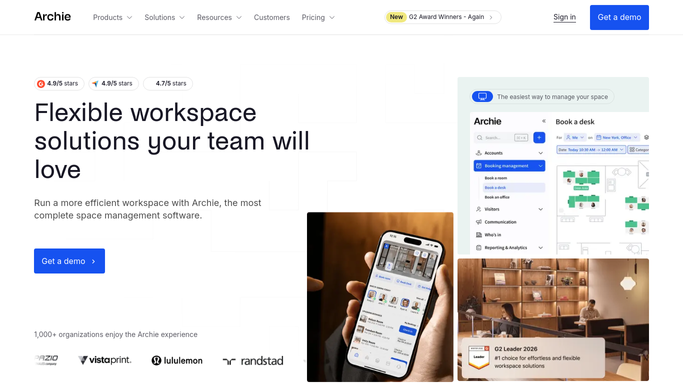
Archie - find upcoming events
archieapp.co

WebRun opens Archie to find upcoming community events. - Open Archie and open the events section
- Find events happening in the next few days across your locations
- Capture each event's title, date, time, location, and current RSVP count
Done when Every upcoming event in the window has been captured with its details.
-
2
Gmail - draft event reminders
gmail.com How to Automate Gmail
WebRun drafts an event reminder for members and leaves it unsent. - Draft a friendly reminder to members for each upcoming event with the date, time, and location
- Add a clear line on how to RSVP or add it to their calendar
- Leave every email as a draft for you to review. Never send to members automatically
Done when An event reminder draft is ready in Gmail for each upcoming event.
-
3
Telegram - ping you what is coming up
telegram.org How to Automate Telegram
WebRun pings you the upcoming events on Telegram. - Send you a list of events coming up in the next few days with date and RSVP count
- Flag any event with low sign-ups that could use an extra push
- Note that the reminder drafts are waiting in Gmail for review
Done when You have today's upcoming-events list on Telegram.


How do I remind members about coworking community events automatically?
Every morning, WebRun opens Archie, finds community events in the next few days, and drafts a friendly reminder to members in Gmail with the date, time, and how to RSVP. It leaves every draft unsent for your review and pings you on Telegram with what is coming up and current sign-ups, so more members turn up.
- Members hear about events in time to actually show up
- Quiet events get flagged for an extra push before the day
- Each reminder is reviewed before it reaches the membership
Built for coworking spaces · flex office operators · community managers · events teams
How is each run configured?
Secure by default
Connect once, stays signed in
WebRun signs in once and keeps each session in a persistent environment, so every run picks up right where it left off.
Every action is checked against this policy before it runs.
Questions, answered
Will it email members on its own?
No. WebRun drafts each event reminder in Gmail and leaves it unsent. You review and send it, so no reminder reaches members without your approval. The Telegram ping is just your heads-up on what is coming up.
How does it know what events are coming up?
It reads the events section in Archie each morning and lists events scheduled in the next few days, with the current RSVP count, so reminders go out for exactly the events that are near.
Can it flag events that need a push?
Yes. WebRun shows each event's sign-ups and flags any with low RSVPs, so you can send an extra reminder or rally members for events that are looking quiet.
Related templates
Put this on autopilot.
Turn it on in minutes - or have our team set it up for you.