Hand developers the exact sessions where customers hit an error
Every morning, WebRun opens Contentsquare, finds the error events recorded yesterday, grabs the session replay behind each one along with the page, the device and the segment, writes them into Airtable as a triage queue, and posts a short note in Notion ranking the errors by how many customers hit them.
- No credit card
- Under $0.01 per run
- Cancel anytime
How do I give developers the exact sessions where customers hit errors?
Every morning, WebRun opens Contentsquare, finds the error events recorded in the last 24 hours, and grabs the session replay, page, device and segment behind each. It writes them into Airtable as a triage queue and posts a ranked note in Notion, so developers reproduce a bug in minutes.
- Developers get the replay, not just the error name
- Errors are ranked by how many customers actually hit them
- A repeat error increments its count instead of flooding the queue
Built for front-end developers · ecommerce teams · product managers · digital analysts
What does WebRun do on every run?
The exact actions WebRun takes, in order - in plain language, so you can adjust anything.
-
WebRun signs in and gets to work
Opens
app.contentsquare.comin a real browser with your saved login - no setup, no API keys. -
1
Contentsquare - find yesterday's error sessions
contentsquare.com
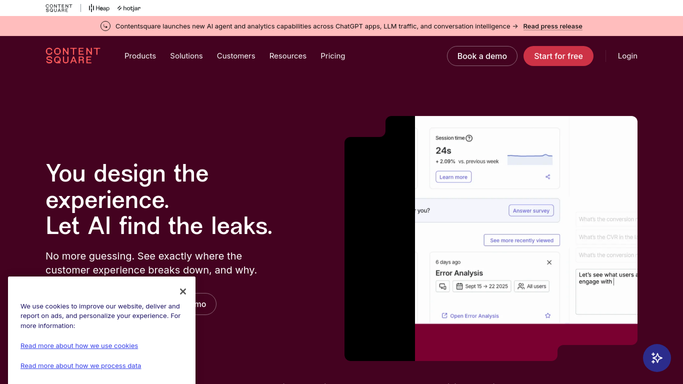
WebRun opens Contentsquare to find yesterday's error sessions. - Open Contentsquare and filter to error events recorded in the last 24 hours
- For each error, capture the page it happened on and the step the customer was at
- Grab the session replay link so a developer can watch the exact sequence
- Note the device, browser and segment behind each session
- Count how many separate sessions hit the same error
Done when Every error from yesterday has a replay link, a page, and a session count.
-
2
Airtable - log each replay for triage
airtable.com How to Automate Airtable

WebRun opens Airtable to log each replay for triage. - Write each error into your triage base in Airtable as its own row
- Fill the page, the error, the replay link, the device, the segment, and the session count
- Match against rows from earlier days and increment the count rather than duplicating a known error
- Leave the status field empty so a developer can pick the row up
Done when Airtable holds one triage row per error with its replay and running count.
-
3
Notion - write the morning triage note
notion.so How to Automate Notion

WebRun opens Notion to write the morning triage note. - Post the morning triage note to your engineering page in Notion
- Rank the errors by how many customers hit them, worst first
- Call out anything new since yesterday and anything that has now run for several days
- Link each line to its Airtable row and its Contentsquare replay
Done when The engineering page has today's ranked triage note.
How is each run configured?
Secure by default
Connect once, stays signed in
WebRun signs in once and keeps each session in a persistent environment, so every run picks up right where it left off.
Every action is checked against this policy before it runs.
Questions, answered
Will it open tickets or message customers?
No. WebRun writes internal rows in Airtable and a note in Notion for your own team. It never contacts a customer, and turning a row into a ticket stays a developer's call.
How do developers reproduce the error?
Every row carries the session replay link, the page, the device and the browser, so a developer can watch the exact sequence rather than guess from a stack trace.
Does the same error get logged every day?
No. WebRun matches new errors against the rows already in Airtable and increments the session count instead of creating a duplicate, so the queue stays readable.
Related templates
Put this on autopilot.
Turn it on in minutes - or have our team set it up for you.