Clear the drafts that never got published
Every Monday, WebRun opens your Contentful space, lists entries that have sat in draft or changed status longer than your limit, groups them by the person who last edited them, posts the list to Telegram, and queues a short Twilio nudge for the owners of anything past the hard limit that a human approves before it sends.
- No credit card
- Under $0.01 per run
- Cancel anytime
How do I find Contentful entries that have been stuck in draft?
WebRun opens your Contentful space every Monday and lists entries that have sat in draft or changed status longer than your limit. It posts them to Telegram grouped by the last editor and queues an unsent Twilio nudge for the oldest, so forgotten content gets an owner instead of aging quietly.
- Forgotten drafts get an owner every Monday instead of aging silently
- The backlog trend is visible week against week
- No entry is published and no nudge is sent without a human deciding
Built for content teams · editorial managers · web developers · marketing operations
What does WebRun do on every run?
The exact actions WebRun takes, in order - in plain language, so you can adjust anything.
-
WebRun signs in and gets to work
Opens
be.contentful.com/loginin a real browser with your saved login - no setup, no API keys. -
1
Contentful - find drafts stuck in review
contentful.com
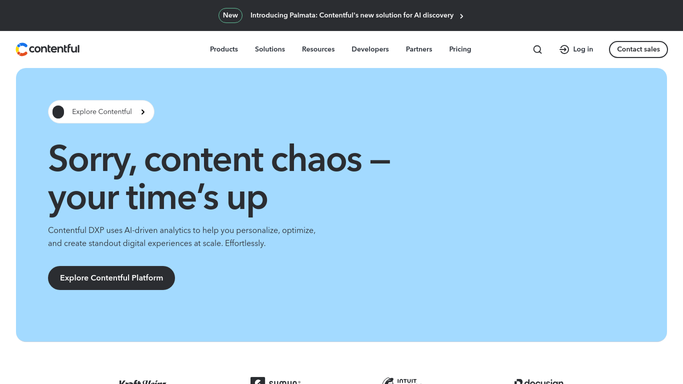
WebRun opens Contentful to find drafts stuck in review. - Sign in to Contentful and open the content view for your space
- Filter entries to draft and changed status
- List everything untouched for longer than the limit you set
- Note the content type, the title, the last editor, and the days since the last update
- Separate entries past your hard limit from the rest
Done when Every stale entry is listed with its owner and its age.
-
2
Telegram - post the list grouped by owner
telegram.org How to Automate Telegram

WebRun opens Telegram to post the list grouped by owner. - Post the stale draft list to your content team group on Telegram
- Group the entries by the person who last edited them
- Show the content type, the title, and the days stale on each line
- Put the count of entries past the hard limit at the top
- Show the change against last Monday so the backlog trend is visible
Done when Each editor can see their own stuck entries in Telegram.
-
3
Twilio - queue a nudge for the slowest
twilio.com How to Automate Twilio

WebRun opens Twilio to queue a nudge for the slowest. - Open Twilio and prepare a short nudge for each owner with entries past the hard limit
- List the entry titles and how long they have been stale
- Leave every message queued and unsent
- Wait for a lead to approve the queue before anything is delivered
Done when Nudges are drafted for the slowest owners and waiting for approval.
How is each run configured?
Secure by default
Connect once, stays signed in
WebRun signs in once and keeps each session in a persistent environment, so every run picks up right where it left off.
Every action is checked against this policy before it runs.
Questions, answered
Will it publish or delete any entry?
No. WebRun only reads entry status in Contentful. Publishing, unpublishing, archiving, and deleting stay with your editors, so no content changes state because of this run.
Does it text people automatically?
No. Every nudge is queued in Twilio and left unsent until a content lead approves the batch, so nobody on the team gets an unexpected message.
How stale is stale?
Whatever you set. A common setup is seven days in draft for the Telegram list and 21 days for the Twilio nudge, and you can use a different limit per content type.
Related templates
Put this on autopilot.
Turn it on in minutes - or have our team set it up for you.