Automated Collibra Data Ownership Audits
Every Monday, WebRun opens Collibra, walks your data assets and business glossary terms across each community and domain, finds the entries with no data owner, no definition, or no certification, drafts a steward email in Gmail for each domain, and posts a ranked gap list to Slack.
How do I find data assets with no owner or definition in our catalog?
Every Monday, WebRun opens Collibra and walks your data assets and glossary terms, finding the ones with no owner, no definition, or no certification. It drafts a steward email in Gmail for each domain and posts a ranked gap list to Slack, so stewardship work has a real queue.
- Stewardship work arrives as a ranked queue instead of a vague backlog
- Every domain owner gets a draft email listing only their own gaps
- Week to week progress on catalog coverage is visible in Slack
Built for data governance leads · data stewards · chief data officers · analytics teams
What does WebRun do on every run?
The exact actions WebRun takes, in order - in plain language, so you can adjust anything.
-
WebRun signs in and gets to work
Opens
collibra.comin a real browser with your saved login - no setup, no API keys. -
1
Collibra - find assets missing an owner
collibra.com
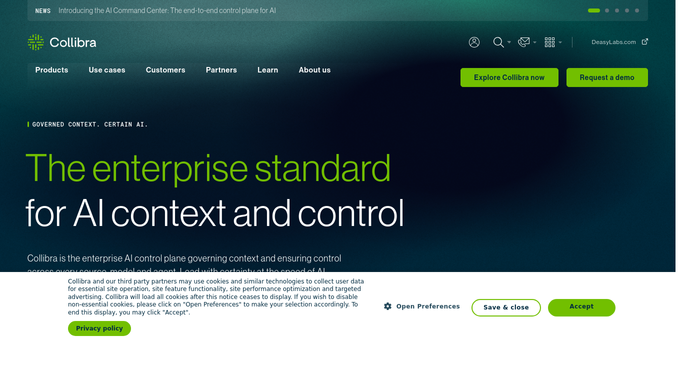
WebRun opens Collibra to find assets missing an owner. - Open Collibra and walk the data assets and business glossary terms in each community and domain
- Flag every asset with no data owner or steward assigned
- Flag every term with an empty or placeholder definition
- Record the certification status for each asset and note the ones never certified
- Count the gaps per domain so the worst areas are visible
Done when Every asset and term is marked complete or listed with the specific field it is missing.
-
2
Gmail - draft the steward emails
gmail.com

WebRun opens Gmail to draft the steward emails. - Draft one email in Gmail per domain owner listing their unowned or undefined assets
- Keep the tone short and factual, with the asset names and the field that is missing
- Leave every message as an unsent draft for you to review. WebRun never emails a steward on its own
Done when A draft email per domain owner is waiting in Gmail for review.
-
3
Slack - post the ranked gap list
slack.com

WebRun opens Slack to post the ranked gap list. - Post the ranked gap list to your data governance channel in Slack
- Order domains by how many assets are missing an owner or a definition
- Show the change since last week so progress on the backlog is visible
- Link back to each domain in Collibra so a steward can start from the message
Done when The governance channel has this week's ranked gap list in Slack.
How is each run configured?
Secure by default
Connect once, stays signed in
WebRun signs in once and keeps each session in a persistent environment, so every run picks up right where it left off.
Every action is checked against this policy before it runs.
Questions, answered
Will it email stewards without me?
No. WebRun writes each steward email as an unsent Gmail draft and leaves it for you to read and send. Only the internal Slack digest posts on its own.
Will it edit or certify assets in Collibra?
No. WebRun reads the catalog and reports what is missing. Assigning an owner, writing a definition, or certifying an asset stays with your stewards, so the catalog only changes when a person changes it.
How does it rank the gaps?
It counts missing owners, definitions, and certifications per domain and puts the domains with the most gaps first, then shows the change since last week so progress is measurable.
Related templates
Put this on autopilot.
Turn it on in minutes - or have our team set it up for you.