Queue every temperature deviation for QA review before it is closed
Every morning, WebRun checks Tive for temperature deviation events that have not been assigned to a QA reviewer, adds each new deviation to a Google Sheets review queue with sensor details and severity, and posts a Slack summary to the QA channel so the team sees what needs attention before starting the day.
- No credit card
- Under $0.01 per run
- Cancel anytime
What does WebRun do on every run?
The exact actions WebRun takes, in order - in plain language, so you can adjust anything.
-
WebRun signs in and gets to work
Opens
platform.tive.comin a real browser with your saved login - no setup, no API keys. -
1
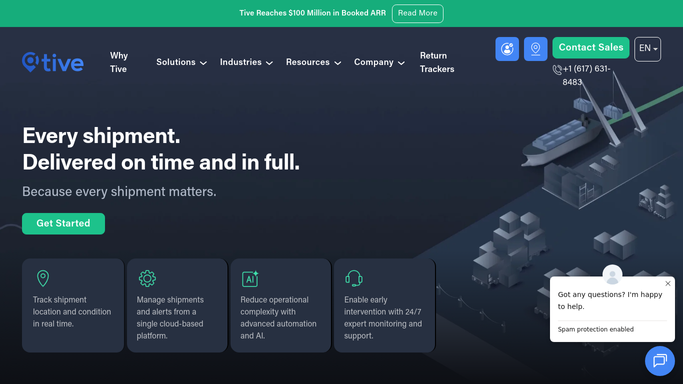
Tive - find unreviewed deviation events
tive.com How to Automate Tive

WebRun opens Tive to find unreviewed deviation events. - Open platform.tive.com and navigate to the alerts or events log
- Filter for temperature deviation events not yet marked as reviewed or closed
- For each deviation, capture the shipment ID, deviation type, severity, start timestamp, duration, maximum deviation value, and carrier
Done when All unreviewed temperature deviations are identified with full sensor and shipment context.
-
2
Google Sheets - add deviations to QA review queue
google.com How to Automate Google Sheets
WebRun opens Google Sheets to add deviations to QA review queue. - Open the QA deviation review Google Sheet and append one row per new unreviewed deviation
- Include columns for shipment ID, deviation type, severity, start time, duration, max deviation, carrier, date added, and QA reviewer (initially blank)
- Mark any deviation open for more than 48 hours as overdue
Done when All new deviations are in the Google Sheet queue with correct metadata and overdue flags applied.
-
3
Slack - post daily QA queue summary
slack.com How to Automate Slack
WebRun opens Slack to post daily QA queue summary. - Post a daily summary to the QA Slack channel listing new deviations added, total open items, and count of overdue items
- Include a link to the Google Sheet for the team to assign and work through
Done when QA team has a Slack summary with today's queue counts and a direct link to the review sheet.


How do I ensure every Tive temperature deviation goes through a formal QA review?
Every morning, WebRun scans Tive for temperature deviation events not yet reviewed by QA, adds each one to a Google Sheets queue with shipment ID, severity, duration, and max deviation, flags items overdue past 48 hours, and posts a summary count to Slack. Every deviation is captured in the queue before it can be closed without oversight.
- No temperature deviation closed without entering the QA review queue
- Overdue items flagged automatically at 48 hours
- QA team starts each day with an accurate open item count in Slack
Built for cold chain QA managers · pharmaceutical quality teams · food safety compliance teams · temperature-controlled logistics operators
How is each run configured?
Secure by default
Connect once, stays signed in
WebRun signs in once and keeps each session in a persistent environment, so every run picks up right where it left off.
Every action is checked against this policy before it runs.
Questions, answered
Will it close or dismiss deviations in Tive automatically?
No. WebRun only reads deviation data and adds it to the queue. Closing or dismissing a deviation in Tive always requires a human QA reviewer to take that action manually.
How does it know which deviations are already reviewed?
WebRun checks the Tive event status field. Any deviation already marked as reviewed or closed in Tive is skipped, so the queue only shows genuinely open items.
Can multiple QA reviewers be assigned from the Sheet?
Yes. The reviewer column is blank on entry and your QA team assigns themselves in the Sheet. WebRun does not auto-assign reviewers, keeping ownership decisions with the team.
Related templates
Put this on autopilot.
Turn it on in minutes - or have our team set it up for you.