Send your team a daily in-transit cold-chain status report
Every morning, WebRun opens Tive, reads the current location, temperature, humidity, ETA, and any active alerts for every in-transit shipment, and writes a structured daily status report to Google Sheets so your team has a single, accurate snapshot to share across the organisation.
- No credit card
- Under $0.01 per run
- Cancel anytime
What does WebRun do on every run?
The exact actions WebRun takes, in order - in plain language, so you can adjust anything.
-
WebRun signs in and gets to work
Opens
platform.tive.comin a real browser with your saved login - no setup, no API keys. -
1
Tive - read all in-transit shipment status
tive.com How to Automate Tive

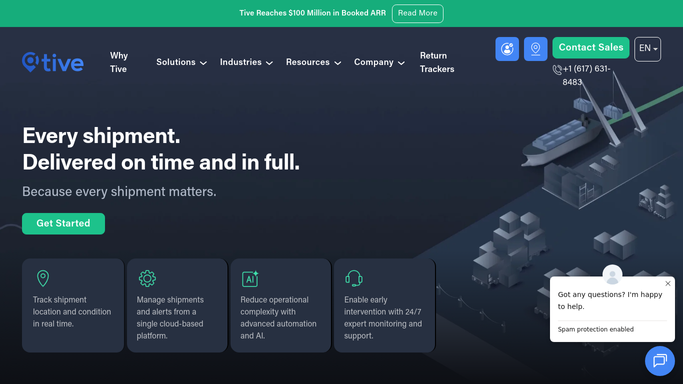
WebRun opens Tive to read all in-transit shipment status. - Open platform.tive.com and view the active shipments dashboard
- For each shipment, read the tracker ID, origin, destination, current location, current temperature, humidity, ETA, and any active alert flags
- Note shipments with excursions or delays in a separate flagged section
Done when All active in-transit shipments have complete status data captured and flagged shipments separated.
-
2
Google Sheets - write daily status report
google.com How to Automate Google Sheets
WebRun opens Google Sheets to write daily status report. - Open the daily report Google Sheet and add a new tab named with today's date
- Write one row per shipment with tracker ID, origin, destination, current location, temperature, humidity, ETA, and alert flags
- Add a summary header row with total active shipments, flagged count, and any on-time percentage
Done when Today's in-transit report tab is complete in Google Sheets with all shipments listed and flagged rows highlighted.

How do I generate a daily in-transit cold-chain report from Tive?
Every morning, WebRun reads every active Tive shipment, captures location, temperature, humidity, and ETA for each, and writes a dated tab in Google Sheets. Flagged shipments appear at the top, and a summary row shows the total active count and alert totals, giving leadership a single accurate in-transit snapshot each day.
- Leadership has a complete fleet snapshot before the workday starts
- Day-by-day history builds automatically for trend analysis
- Flagged shipments surface at the top without manual sorting
Built for cold chain operations managers · supply chain directors · pharmaceutical logistics teams · food distribution supervisors
How is each run configured?
Secure by default
Connect once, stays signed in
WebRun signs in once and keeps each session in a persistent environment, so every run picks up right where it left off.
Every action is checked against this policy before it runs.
Questions, answered
Does it replace the previous day's report or add a new tab?
WebRun adds a new dated tab each morning so you build a complete day-by-day history automatically. The previous day's data is never overwritten.
Can it email the report to leadership automatically?
External email distribution is drafted and queued for your approval before it is sent. The Google Sheet populates automatically; outbound emails require a human to review and send.
What happens if Tive shows zero active shipments?
WebRun still creates the dated tab and writes a single summary row confirming zero shipments in transit, so the report history remains unbroken.
Related templates
Put this on autopilot.
Turn it on in minutes - or have our team set it up for you.