Notice when a repo stops sending coverage reports at all
Every morning, WebRun opens Codecov, checks each repository for a recent coverage upload, finds the ones that have gone silent along with the last commit that reported, raises a Trello card for each silent repo and flag, and files the dated record in Google Drive.
- No credit card
- Under $0.01 per run
- Cancel anytime
How do I know when a repo stops uploading coverage to Codecov?
WebRun checks Codecov every morning for repositories that have stopped uploading coverage, naming the last commit and branch that did report. It raises a Trello card per silent repo or flag and files a dated record in Google Drive, so a green dashboard is never just missing data.
- A broken upload step is caught the next morning, not the next quarter
- Each card names the last commit that reported, so the break is traceable
- Single silent flags are found inside repos that otherwise look healthy
Built for engineering managers · build owners · platform teams · QA leads
What does WebRun do on every run?
The exact actions WebRun takes, in order - in plain language, so you can adjust anything.
-
WebRun signs in and gets to work
Opens
app.codecov.io/loginin a real browser with your saved login - no setup, no API keys. -
1
Codecov - find repos that stopped uploading
codecov.io
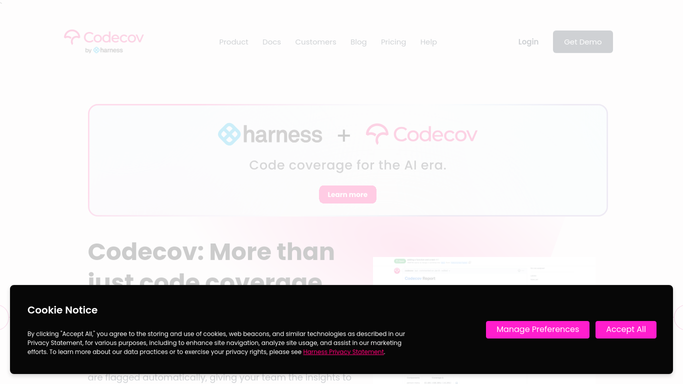
WebRun opens Codecov to find repos that stopped uploading. - Open Codecov and list every repository in your organisation with its most recent upload
- Flag any repository whose last coverage upload is older than the silence window you set
- Record the last commit and branch that did report, with its date
- Check the flags inside each active repository and note any flag that has stopped reporting while others continue
Done when Every repository has a last upload date and a reporting or silent verdict, flag by flag.
-
2
Trello - raise a card per silent repo
trello.com How to Automate Trello

WebRun opens Trello to raise a card per silent repo. - Raise a card on your build board for each silent repository or flag
- Put the repository, the branch, the last reporting commit, and the date it stopped in the card
- Update the existing card instead of opening a new one when a repo has been silent for several days
Done when Every silent repository has one live card naming the last commit that reported.
-
3
Google Drive - file the dated record
drive.google.com How to Automate Google Drive

WebRun opens Google Drive to file the dated record. - Save a dated record to your engineering folder listing every repository and its last upload
- Keep the format identical each day so the folder shows when reporting broke
- Highlight repositories that changed state since yesterday
Done when Today's coverage upload record is filed in Google Drive.
How is each run configured?
Secure by default
Connect once, stays signed in
WebRun signs in once and keeps each session in a persistent environment, so every run picks up right where it left off.
Every action is checked against this policy before it runs.
Questions, answered
Will it change our CI or re-run a build?
No. WebRun only reads Codecov. It never edits a pipeline, retriggers a build, changes a repository setting, or comments on a pull request. Findings land in Trello and a Drive record for your team.
How does it decide a repo has gone silent?
It compares each repository's last coverage upload against the silence window you set, then names the last commit and branch that did report so the break can be traced.
Does it catch a single broken flag?
Yes. It checks flags inside active repositories too, so a repo that still uploads but has lost one flag is caught rather than passing as healthy.
Related templates
Put this on autopilot.
Turn it on in minutes - or have our team set it up for you.