Automated ClickHouse Slow Query Reviews
Every Monday, WebRun opens the ClickHouse console, reads the past week's query activity for each service, ranks queries by run time, memory used, and how often they ran, records the worst in Airtable, and writes an optimisation shortlist in Notion naming the tables each heavy query touches.
How do I find the slowest and heaviest queries in ClickHouse each week?
WebRun opens the ClickHouse console every Monday, reads the past week of query activity across your services, and ranks queries by run time, memory used, and how often they ran. It logs the worst in Airtable and writes a Notion shortlist naming the tables involved, so optimisation goes where it actually hurts.
- The worst query of the week is named every Monday morning
- Regressions show up as a trend instead of an outage
- Optimisation effort goes to total cost, not just the slowest single run
Built for data engineers · analytics teams · platform engineers · database administrators
What does WebRun do on every run?
The exact actions WebRun takes, in order - in plain language, so you can adjust anything.
-
WebRun signs in and gets to work
Opens
console.clickhouse.cloudin a real browser with your saved login - no setup, no API keys. -
1
ClickHouse - rank the week's heaviest queries
clickhouse.com
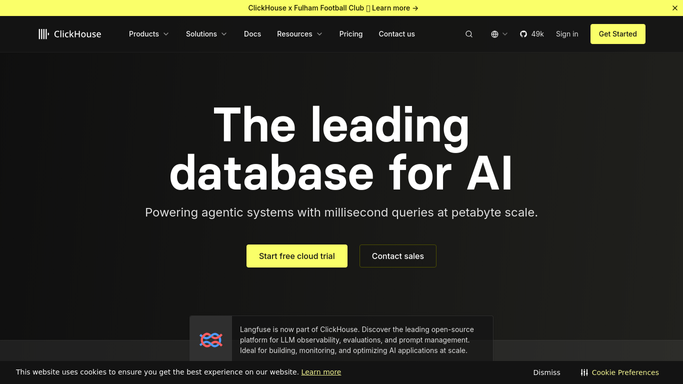
WebRun opens ClickHouse to rank the week's heaviest queries. - Open the console and select each service in turn
- Read the last 7 days of query activity in the monitoring views
- Capture the slowest queries by run time and the heaviest by memory used
- Note how many times each ran and which tables it reads
Done when Every service has its worst queries listed with run time, memory, and run count.
-
2
Airtable - log the worst offenders
airtable.com

WebRun opens Airtable to log the worst offenders. - Add a row per heavy query with service, run time, memory, and run count
- Carry a fingerprint so the same query pattern is tracked week to week
- Flag any query that got slower than last week
- Keep a history view so a regression is visible as a trend
Done when This week's worst queries are logged and compared with last week.
-
3
Notion - write the optimisation shortlist
notion.so

WebRun opens Notion to write the optimisation shortlist. - Write this week's shortlist with the highest total cost queries first
- Show run time times run count, so a fast query run constantly ranks properly
- Name the tables each query touches for the engineer picking it up
- Report only. WebRun never kills a query, edits a table, or changes a setting
Done when The data team starts the week with a ranked optimisation shortlist.
How is each run configured?
Secure by default
Connect once, stays signed in
WebRun signs in once and keeps each session in a persistent environment, so every run picks up right where it left off.
Every action is checked against this policy before it runs.
Questions, answered
Will it kill queries or change my service settings?
No. WebRun reads the console and reports. It never terminates a running query, alters a table, changes a service size, or edits a setting. Every fix stays a human decision.
How does it rank which query hurts most?
By total cost, not single run time. It multiplies run time by how often the query ran that week, so a fast query running thousands of times outranks one slow nightly job.
Can it tell me if a query got worse?
Yes. Each query pattern keeps a fingerprint in Airtable, so the Monday run compares this week's run time against last week's and flags anything that regressed.
Related templates
Put this on autopilot.
Turn it on in minutes - or have our team set it up for you.