Catch a campaign that failed to reach its audience
Every hour, WebRun opens CleverTap, reads the delivery stats on every running campaign, compares sent, delivered and failed counts against that campaign's normal rate, messages you on Telegram the moment delivery falls off a cliff, and files the hourly numbers to Google Drive.
- No credit card
- Under $0.01 per run
- Cancel anytime
How do I find out a campaign failed to deliver while it is still running?
WebRun opens CleverTap every hour, reads the delivery stats on each running campaign, and compares sent, delivered and failed counts against that campaign's normal rate. When delivery drops sharply it messages you on Telegram with the campaign and the segment, and files the hourly numbers in Google Drive.
- A broken send is caught within the hour, not next week
- Every campaign is measured against its own baseline, not a blanket number
- Healthy hours stay silent, so alerts keep their meaning
Built for lifecycle marketers · growth teams · mobile app marketers · CRM managers
What does WebRun do on every run?
The exact actions WebRun takes, in order - in plain language, so you can adjust anything.
-
WebRun signs in and gets to work
Opens
dashboard.clevertap.comin a real browser with your saved login - no setup, no API keys. -
1
CleverTap - read campaign delivery stats
clevertap.com
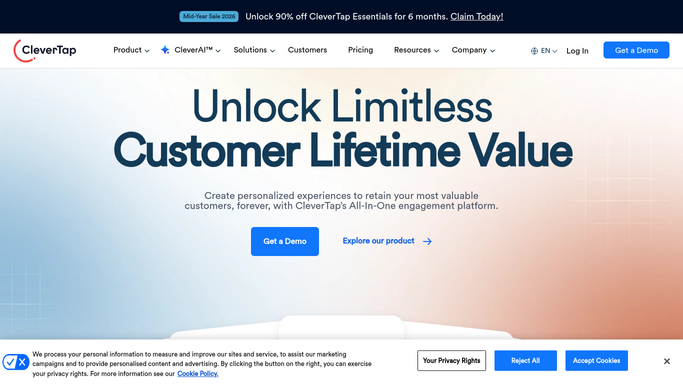
WebRun opens CleverTap to read campaign delivery stats. - Open the CleverTap dashboard and list the campaigns currently running or sending
- For each campaign, read the audience size, sent, delivered, failed, and clicked counts
- Compare the delivered rate against that campaign's own recent baseline and note anything that dropped sharply
- Read the dashboard only. Never pause, edit, or resend a campaign
Done when Every running campaign has this hour's delivery numbers and a pass or fail verdict.
-
2
Telegram - alert on a failed send
telegram.org How to Automate Telegram

WebRun opens Telegram to alert on a failed send. - Message your lifecycle channel the moment a campaign's delivered rate falls below your threshold
- Name the campaign, the channel, the segment, and the sent against delivered counts
- Stay silent on the hours when every campaign is delivering normally
Done when Any campaign with a delivery problem has been called out by name.
-
3
Google Drive - file the hourly numbers
drive.google.com How to Automate Google Drive

WebRun opens Google Drive to file the hourly numbers. - Append this hour's delivery numbers to the campaign health file in Google Drive
- Keep one row per campaign per hour so the baseline improves over time
- Mark the rows where an alert was raised so the history explains itself
Done when This hour's delivery numbers are filed alongside the running history.
How is each run configured?
Secure by default
Connect once, stays signed in
WebRun signs in once and keeps each session in a persistent environment, so every run picks up right where it left off.
Every action is checked against this policy before it runs.
Questions, answered
Will it pause a campaign that is failing?
No. WebRun reads the CleverTap dashboard and raises the alert. Pausing, editing, or resending a campaign stays with your team, so a threshold blip never stops a live send.
How does it know what a bad delivery rate looks like?
It compares each campaign against its own recent hourly numbers, held in the Google Drive history file, so a channel that always runs at a lower rate does not trigger a false alarm.
Does it message me every hour?
Only when something breaks. On a healthy hour WebRun files the numbers quietly and sends no Telegram message, so an alert always means a real drop in delivery.
Related templates
Put this on autopilot.
Turn it on in minutes - or have our team set it up for you.