Put the week's flakiest tests in front of their owners
Every Monday, WebRun opens CircleCI, reads last week's test results across your projects, ranks the tests that failed then passed on a rerun, keeps the running history in Airtable, and publishes a Notion page listing each flaky test with its rerun count and the team that owns it.
- No credit card
- Under $0.01 per run
- Cancel anytime
How do I find the flakiest tests in my CI pipeline each week?
WebRun reviews last week's CircleCI runs every Monday and finds the tests that failed and then passed on a rerun of the same commit. It ranks them by rerun count, keeps the history in Airtable, and publishes a Notion page naming the owning team, so one fix a week removes the worst offender.
- The worst flaky test is named every Monday with its rerun count
- Every flaky test arrives attached to an owning team
- Weeks of history show whether flakiness is improving or spreading
Built for platform engineers · developer experience teams · QA leads · engineering managers
What does WebRun do on every run?
The exact actions WebRun takes, in order - in plain language, so you can adjust anything.
-
WebRun signs in and gets to work
Opens
app.circleci.comin a real browser with your saved login - no setup, no API keys. -
1
CircleCI - find tests that only pass on rerun
circleci.com
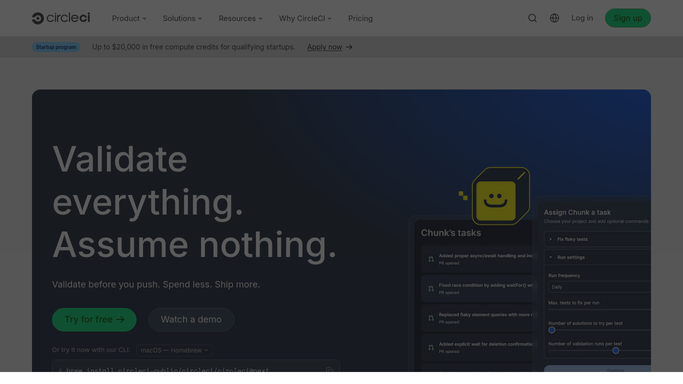
WebRun opens CircleCI to find tests that only pass on rerun. - Open CircleCI and review last week's workflows across your projects
- Find jobs that failed and then passed on a rerun with no code change in between
- Record which tests failed in those jobs and how many times each one did it
- Note the project, the workflow, the job, and the branch the failure happened on
Done when Every test that failed then passed on a rerun is counted for the week.
-
2
Airtable - keep the flakiness history
airtable.com How to Automate Airtable

WebRun opens Airtable to keep the flakiness history. - Add a row per test per week with the rerun count, project, and job
- Keep prior weeks so a test that has been flaky for a month is obvious
- Attach the owning team from your code ownership mapping
- Mark tests that had zero reruns this week as improving rather than deleting their history
Done when This week's flakiness counts sit alongside earlier weeks in Airtable.
-
3
Notion - publish the ranked list
notion.so How to Automate Notion

WebRun opens Notion to publish the ranked list. - Publish the weekly page with the flaky tests ranked by rerun count
- Show the owning team, the project, the weeks it has been flaky, and the CI minutes it burned
- Name the single worst offender at the top as this week's suggested fix
- Leave code changes, quarantining, and skipping to the engineers. WebRun never edits a repository or a pipeline
Done when The ranked flaky test page for last week is published in Notion.
How is each run configured?
Secure by default
Connect once, stays signed in
WebRun signs in once and keeps each session in a persistent environment, so every run picks up right where it left off.
Every action is checked against this policy before it runs.
Questions, answered
Will it skip or quarantine flaky tests?
No. WebRun never edits a repository, a config file, or a pipeline. It reports which tests are flaky and who owns them, and the fix stays a code change an engineer makes deliberately.
How does it decide a test is flaky?
It looks for a test that failed and then passed on a rerun of the same commit with no code change in between, and counts how often that happened over the week.
Does it rerun builds to find them?
No. It only reads the workflow and test history CircleCI already recorded. No job is triggered, cancelled, or rerun by WebRun, so your CI credit usage is untouched.
Related templates
Put this on autopilot.
Turn it on in minutes - or have our team set it up for you.