Start every clinic day with a complete morning huddle digest
Every morning, WebRun opens ChiroTouch, assembles today's schedule into a structured huddle digest covering appointment count, new patients, unconfirmed visits, care plan stages, and any open billing flags, logs the summary to Google Sheets, and posts it to Slack before the first patient arrives.
- No credit card
- Under $0.01 per run
- Cancel anytime
What does WebRun do on every run?
The exact actions WebRun takes, in order - in plain language, so you can adjust anything.
-
WebRun signs in and gets to work
Opens
chirotouch.comin a real browser with your saved login - no setup, no API keys. -
1
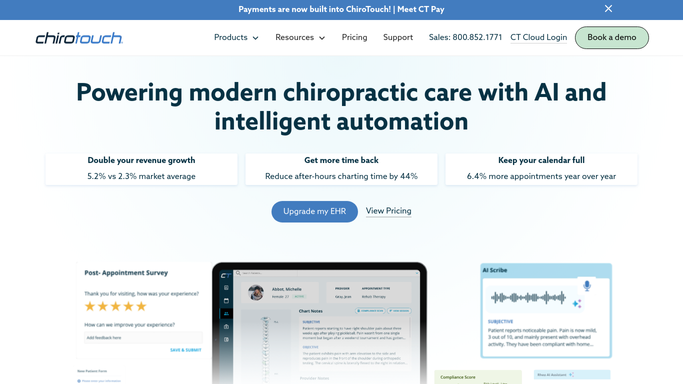
ChiroTouch - compile today's schedule and patient flags
chirotouch.com How to Automate ChiroTouch

WebRun opens ChiroTouch to compile today's schedule and patient flags. - Open ChiroTouch and navigate to today's appointment schedule
- Count total appointments, new patients, and returning patients
- Note unconfirmed appointments and patients who missed yesterday
- Check for any open billing alerts, unsigned notes, or outstanding care plan milestones on today's patients
Done when Today's schedule is fully compiled with all flags and counts captured.
-
2
Google Sheets - log daily huddle data for tracking
google.com How to Automate Google Sheets
WebRun opens Google Sheets to log daily huddle data for tracking. - Log today's huddle data to the daily schedule sheet
- Record total appointments, new patient count, confirmation rate, and any billing flags
- Append the row so the sheet builds a running history for trend review
Done when Today's huddle data is logged to Google Sheets for the historical record.
-
3
Slack - post morning huddle digest to the team
slack.com How to Automate Slack
WebRun opens Slack to post morning huddle digest to the team. - Post the morning huddle digest to the clinic Slack channel
- Structure the message: total patients, new patients today, unconfirmed count, care plan highlights, billing flags
- Keep the format consistent so the team can scan it in under 60 seconds
Done when Team has the morning huddle digest in Slack before the first appointment of the day.


How do I automatically generate a morning huddle report for my chiropractic clinic each day?
Every morning, WebRun opens ChiroTouch and compiles today's schedule into a structured huddle digest covering appointment totals, new patients, unconfirmed visits, care plan highlights, and billing flags. The digest is posted to Slack before the first patient and logged to Google Sheets so trends are trackable over time.
- Every team member starts the day aligned on the schedule, new patients, and open flags
- Billing and care plan flags are visible before the first patient arrives, not discovered mid-day
- Google Sheets log builds a trend history so managers can track clinic performance week over week
Built for chiropractic providers · chiropractic office managers · chiro front desk and billing teams
How is each run configured?
Secure by default
Connect once, stays signed in
WebRun signs in once and keeps each session in a persistent environment, so every run picks up right where it left off.
Every action is checked against this policy before it runs.
Questions, answered
Does it include protected patient health information in the Slack message?
No. The huddle digest includes only scheduling and operational data such as appointment counts, confirmation status, and flag types. No clinical details or protected health information are posted externally.
Can it be sent to a provider-specific channel instead of a shared clinic channel?
Yes. Staff can configure one or more Slack channels during setup, and the digest can be split by provider or posted to a general clinic channel depending on practice preference.
Can the team see trends in the huddle data over time?
Yes. Every day's huddle summary is appended to the Google Sheet, so managers can review weekly and monthly trends in appointment volume, confirmation rates, and billing flag frequency.
Related templates
Put this on autopilot.
Turn it on in minutes - or have our team set it up for you.