Keep visit packages topped up with timely renewal reminders
Every morning, WebRun opens Jane, checks each active visit package and credit bundle for patients approaching zero remaining visits, drafts a renewal reminder in Gmail for those with two visits or fewer left, and alerts the front desk in Slack so no patient runs out unexpectedly.
- No credit card
- Under $0.01 per run
- Cancel anytime
What does WebRun do on every run?
The exact actions WebRun takes, in order - in plain language, so you can adjust anything.
-
WebRun signs in and gets to work
Opens
jane.appin a real browser with your saved login - no setup, no API keys. -
1
Jane - check visit package and credit balances
jane.app How to Automate Jane

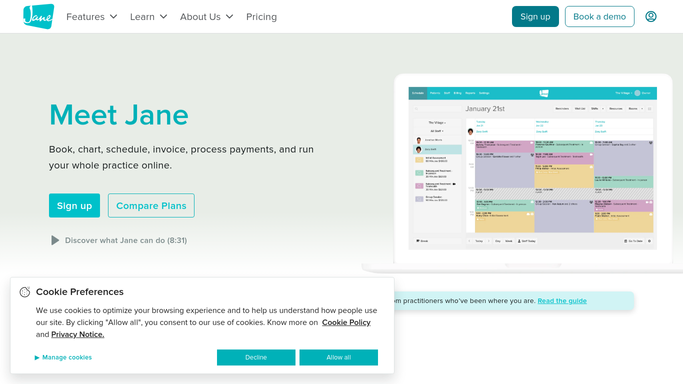
WebRun opens Jane to check visit package and credit balances. - Open Jane and review active visit packages and credit bundles
- Identify patients with two or fewer visits remaining in their package
- Note each patient's name, package type, remaining visits, and expiry date if applicable
- Skip patients who have a pending renewal already in progress
Done when All patients with low package balances are listed with their remaining credit details.
-
2
Gmail - draft renewal reminder for low-balance patients
gmail.com How to Automate Gmail
WebRun opens Gmail to draft renewal reminder for low-balance patients. - Draft a friendly renewal reminder for each low-balance patient
- Reference the package type and how many visits remain
- Include the renewal options or a prompt to book a renewal conversation at the next visit
- Save every draft unsent in Gmail for staff review before sending
- Never send a message to a patient without staff approval
Done when A Gmail renewal reminder draft is ready for each low-balance patient, pending staff approval.
-
3
Slack - alert front desk to low packages needing renewal
slack.com How to Automate Slack
WebRun opens Slack to alert front desk to low packages needing renewal. - Post a daily alert to the front-desk Slack channel listing patients with low package balances
- Include the remaining visit count and the Gmail draft status for each
- Flag patients whose package expires within 7 days as urgent
Done when Front desk staff have a low-package alert in Slack with renewal drafts ready to action.


How do I automatically remind chiropractic patients to renew their visit package before it runs out?
Every morning, WebRun opens Jane and checks all active visit packages for patients with two or fewer visits remaining. It drafts a personalised renewal reminder in Gmail for each one, flags packages expiring within 7 days as urgent, and posts a Slack alert so front desk staff can approve and send reminders before patients run out of visits.
- Patients never run out of visits unexpectedly because renewals are flagged two visits in advance
- Packages expiring within 7 days are prioritised so credit is not lost to expiry
- Staff approve renewal messages in one click instead of manually tracking package balances
Built for chiropractic clinics · chiropractic front desk staff · clinics using prepaid visit packages
How is each run configured?
Secure by default
Connect once, stays signed in
WebRun signs in once and keeps each session in a persistent environment, so every run picks up right where it left off.
Every action is checked against this policy before it runs.
Questions, answered
Will it send renewal reminders to patients automatically?
No. Every reminder is saved as an unsent Gmail draft and must be reviewed and approved by staff before it is sent. No patient is contacted automatically.
How many visits remaining triggers the reminder?
The default threshold is two visits remaining, giving patients enough notice to renew before their next scheduled appointment. Staff can adjust this threshold during setup.
What if a patient's package has an expiry date that is close?
Packages expiring within 7 days are flagged as urgent in the Slack alert so staff can prioritise those patients and reach out before the credit is lost.
Related templates
Put this on autopilot.
Turn it on in minutes - or have our team set it up for you.