Know which supplier orders came up short
Every morning, WebRun opens ShelfPerks, reviews purchase orders received in the last day, compares ordered versus received quantity for each artisan supplier, logs every shortfall and substitution to Google Sheets, and sends you a Telegram digest of what to chase.
- No credit card
- Under $0.01 per run
- Cancel anytime
What does WebRun do on every run?
The exact actions WebRun takes, in order - in plain language, so you can adjust anything.
-
WebRun signs in and gets to work
Opens
app.shelfperks.comin a real browser with your saved login - no setup, no API keys. -
1
ShelfPerks - compare ordered versus received
shelfperks.com How to Automate ShelfPerks

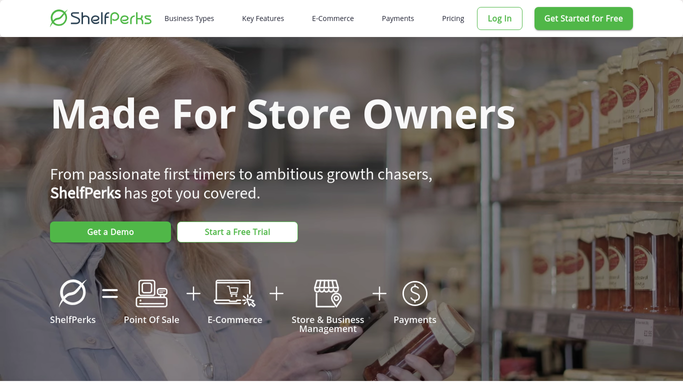
WebRun opens ShelfPerks to compare ordered versus received. - Open ShelfPerks and go to the purchase order receiving view
- Find POs from artisan suppliers marked received in the last 24 hours
- Compare the quantity ordered against the quantity received for each line
- Flag every short line, missing item, and unrequested substitution
Done when Every recently received PO is checked and each discrepancy is captured.
-
2
Google Sheets - log every shortfall
google.com How to Automate Google Sheets
WebRun opens Google Sheets to log every shortfall. - Open the Supplier Shortfall Log sheet
- Append each discrepancy as a row with supplier, cheese, ordered, received, and the gap
- Value the shortfall in dollars using the PO unit cost
- Keep a running tally of shortfalls per supplier over the trailing 90 days
Done when Today's shortfalls are logged and the per-supplier running tally is updated.
-
3
Telegram - send the shortfall digest
telegram.org How to Automate Telegram
WebRun opens Telegram to send the shortfall digest. - Send a Telegram digest listing each supplier with a shortfall today
- Show cheese, ordered, received, and the dollar value of the gap per line
- Call out any supplier trending worse over the last 90 days
- This is an internal digest to you only, so it can post on its own
Done when You have today's supplier shortfall digest in Telegram.


How do I catch supplier delivery shortfalls automatically?
WebRun checks your supplier deliveries every morning. It compares ordered against received on each artisan PO in ShelfPerks, flags every shortfall and substitution, logs them to Google Sheets valued in dollars, and sends you a Telegram digest of what to chase, so short deliveries never quietly cost you margin.
- Short deliveries are caught the morning after receiving, not at month end
- Every shortfall is valued in dollars and logged for credit claims
- Repeat-offender suppliers surface from a 90-day running tally
Built for cheese shop owners · specialty food buyers · deli purchasing managers · gourmet retailers
How is each run configured?
Secure by default
Connect once, stays signed in
WebRun signs in once and keeps each session in a persistent environment, so every run picks up right where it left off.
Every action is checked against this policy before it runs.
Questions, answered
Does it contact the supplier or open a credit claim?
No. WebRun logs the shortfall and sends you an internal digest only. Chasing the supplier, requesting a credit, or filing a claim stays with you, so no message goes to a supplier on its own.
Why send the digest to Telegram automatically?
Because it goes only to you and your team, not to a supplier or customer. Internal digests are safe to post without review, so you get the shortfall list the moment the check finishes each morning.
How does it spot a substitution?
It compares each received line to what the PO ordered in ShelfPerks. Anything received that was not on the order, or a different cheese in place of one ordered, is flagged as a substitution in both the log and the digest.
Related templates
Put this on autopilot.
Turn it on in minutes - or have our team set it up for you.