Send finance a weekly chargeback scorecard
Every Monday, WebRun opens Chargeflow, reads last week's win rate, recovered revenue, dispute volume, and chargeback ratio, appends the numbers to a running trend sheet, and posts finance a short Slack digest with the movement and what changed.
- No credit card
- Under $0.01 per run
- Cancel anytime
What does WebRun do on every run?
The exact actions WebRun takes, in order - in plain language, so you can adjust anything.
-
WebRun signs in and gets to work
Opens
app.chargeflow.ioin a real browser with your saved login - no setup, no API keys. -
1
Chargeflow - read the week metrics
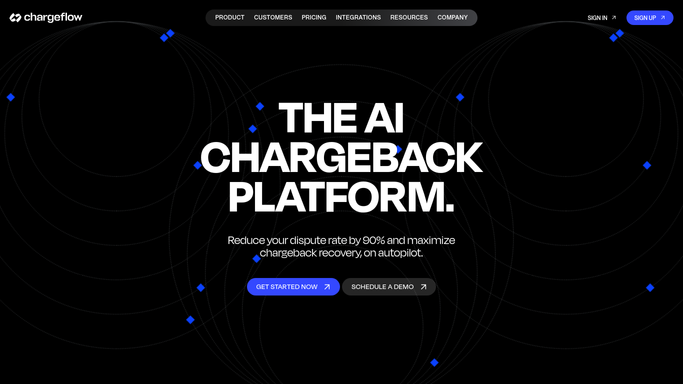
chargeflow.io How to Automate Chargeflow

WebRun opens Chargeflow to read the week's metrics. - Open the Chargeflow insights dashboard
- Read win rate, recovered revenue, dispute count, and chargeback ratio for the week
- Note the reason-code mix and any threshold warnings
Done when Last week's chargeback metrics are captured from Chargeflow.
-
2
Google Sheets - log the trend
google.com How to Automate Google Sheets
WebRun opens Google Sheets to log the trend. - Append this week's numbers as a new row in the trend sheet
- Compute the change versus the prior week and the running average
- Keep the history so the digest can show direction, not just a snapshot
Done when The trend sheet has a fresh row with week-over-week change.
-
3
Slack - post the digest
slack.com How to Automate Slack
WebRun opens Slack to post the digest. - Post a short digest to the finance channel
- Lead with win rate, recovered revenue, and the chargeback ratio versus target
- Call out what moved and any ratio approaching the network threshold
Done when Finance has this week's chargeback digest in Slack.


How do I report chargeback win rate and recovery to finance each week?
WebRun sends finance a chargeback scorecard every Monday. It reads last week's win rate, recovered revenue, dispute volume, and chargeback ratio from Chargeflow, appends them to a running Google Sheet, and posts a plain-language Slack digest with the week-over-week movement, so leaders see where disputes are trending without opening the dashboard.
- Finance sees win rate and recovery without opening the dashboard
- Chargeback ratio is watched against network thresholds weekly
- Every week is logged so the trend is visible over time
Built for finance teams · ecommerce merchants · controllers · operations leaders
How is each run configured?
Secure by default
Connect once, stays signed in
WebRun signs in once and keeps each session in a persistent environment, so every run picks up right where it left off.
Every action is checked against this policy before it runs.
Questions, answered
Is this digest safe to post automatically?
Yes. It is an internal summary of your own Chargeflow numbers posted to your Slack finance channel, with no customer contact and no card-network filing, so WebRun posts it on its own each week.
What metrics does the digest include?
It leads with your win rate, recovered revenue, dispute volume, and chargeback ratio versus target, then notes the reason-code mix and any ratio nearing a network threshold that needs attention.
Can I see the trend over time?
Yes. WebRun appends every week to a running Google Sheet and reports the week-over-week change, so the digest shows direction and momentum rather than a single week in isolation.
Related templates
 Shopify›
Put this on autopilot.
Turn it on in minutes - or have our team set it up for you.