Follow up on documentation gaps from mortality reviews
Every morning, WebRun opens Solventum 360 Encompass, finds mortality cases where the severity of illness or risk of mortality documentation doesn't match the clinical picture, drafts a follow up query for each physician for your CDI specialist to review, and posts a Teams digest of every mortality case still pending CDI review.
- No credit card
- Under $0.01 per run
- Cancel anytime
What does WebRun do on every run?
The exact actions WebRun takes, in order - in plain language, so you can adjust anything.
-
WebRun signs in and gets to work
Opens
www.solventum.com/en-us/home/health-information-technology/solutions/360-encompass-cdiin a real browser with your saved login - no setup, no API keys. -
1
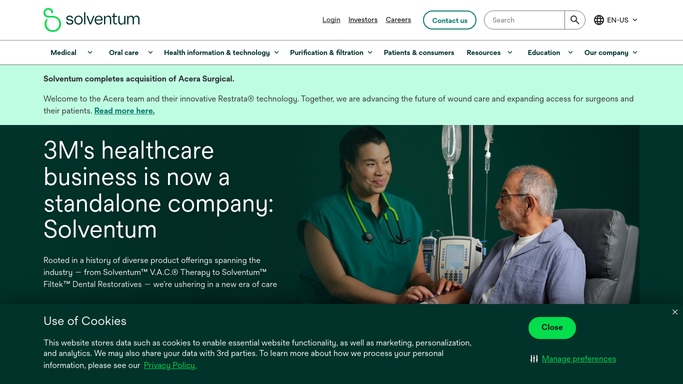
Solventum - find mortality cases with a documentation gap
solventum.com How to Automate Solventum

WebRun opens Solventum to find mortality cases with a documentation gap. - Open Solventum 360 Encompass and filter to mortality cases flagged for CDI review
- Check severity of illness and risk of mortality documentation against the clinical picture in the chart
- Capture the account number, attending physician, and the specific gap for each flagged case
Done when Every mortality case with an unresolved severity of illness or risk of mortality gap is listed with its physician and specific gap.
-
2
Gmail - draft a physician follow up query
gmail.com How to Automate Gmail
WebRun opens Gmail to draft a physician follow up query. - Draft a follow up query to the attending physician for each flagged mortality case
- Reference the specific clinical indicator that supports a higher severity of illness or risk of mortality level
- Leave every draft unsent in Gmail for the CDI specialist to review before it goes out
Done when A follow up query draft exists in Gmail for every flagged mortality case, held for CDI review.
-
3
Microsoft Teams - post the pending mortality review digest
microsoft.com How to Automate Microsoft Teams
WebRun opens Microsoft Teams to post the pending mortality review digest. - Post a digest to the CDI channel listing every mortality case still pending review
- Note which cases already have a drafted follow up waiting in Gmail
- Flag any case approaching its expected chart closure date
Done when The CDI team has today's pending mortality review list in Teams.


How do I follow up on documentation gaps found during mortality review?
WebRun checks Solventum 360 Encompass every morning for mortality cases with a severity of illness or risk of mortality documentation gap, drafts a follow up query in Gmail for each attending physician for CDI review, and posts a Teams digest of every mortality case still pending, so gaps get resolved before the mortality review committee meets, not after.
- Mortality documentation gaps surface before the review committee meets
- Physician follow ups sit ready as drafts instead of starting from a blank email
- Patient information in Teams stays limited to account numbers only
Built for CDI specialists · hospital quality and mortality review committees · CDI physician advisors · HIM directors
How is each run configured?
Secure by default
Connect once, stays signed in
WebRun signs in once and keeps each session in a persistent environment, so every run picks up right where it left off.
Every action is checked against this policy before it runs.
Questions, answered
Will it send the mortality follow up query to the physician automatically?
No. Every follow up query is saved as a Gmail draft and left unsent. A CDI specialist reviews the clinical rationale and sends it, or edits it first. WebRun never contacts the physician directly.
Does it decide whether a mortality case had a documentation gap?
No. It reads the severity of illness and risk of mortality flags Solventum's CDI engine has already raised on the case. WebRun packages the flagged gap into a digest and a draft, it doesn't make the clinical judgment itself.
How is patient information handled in the Teams digest?
The digest references cases by account number only, not by patient name, so exposure in the Teams channel is kept to the minimum needed for the CDI team to work the list.
Related templates
Put this on autopilot.
Turn it on in minutes - or have our team set it up for you.