Surface CC and MCC capture opportunities daily
Every morning, WebRun opens Solventum 360 Encompass, reviews the CC and MCC capture opportunities its CDI engine has surfaced from clinical indicators like lab values and vitals, emails your CDI team an internal digest ranked by reimbursement impact, and posts a Teams nudge so the highest value opportunities get reviewed the same day.
- No credit card
- Under $0.01 per run
- Cancel anytime
What does WebRun do on every run?
The exact actions WebRun takes, in order - in plain language, so you can adjust anything.
-
WebRun signs in and gets to work
Opens
www.solventum.com/en-us/home/health-information-technology/solutions/360-encompass-cdiin a real browser with your saved login - no setup, no API keys. -
1
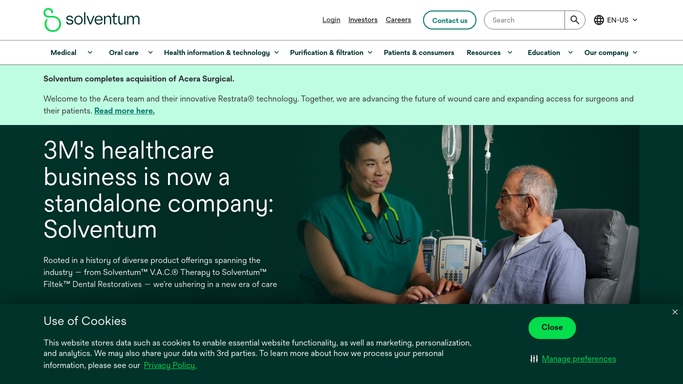
Solventum - find CC and MCC capture opportunities
solventum.com How to Automate Solventum

WebRun opens Solventum to find CC and MCC capture opportunities. - Open Solventum 360 Encompass and review the CC and MCC capture opportunities the CDI engine has surfaced from clinical indicators
- Capture the account number, supporting indicator, potential CC or MCC, and estimated reimbursement impact for each
- Exclude any opportunity already queried or already coded
Done when Every open CC and MCC capture opportunity is listed with its supporting indicator and reimbursement impact.
-
2
Gmail - email the CDI team a ranked digest
gmail.com How to Automate Gmail
WebRun opens Gmail to email the CDI team a ranked digest. - Send an internal digest email to the CDI team distribution list ranking today's opportunities by reimbursement impact
- Include the supporting clinical indicator for each so specialists can verify before querying
- Call out any opportunity over your review threshold at the top
Done when The CDI team's inbox has today's ranked CC and MCC opportunity digest.
-
3
Microsoft Teams - nudge the team to review today
microsoft.com How to Automate Microsoft Teams
WebRun opens Microsoft Teams to nudge the team to review today. - Post a short nudge to the CDI channel that today's digest is ready
- Note how many opportunities are new since yesterday
- Point specialists back to Solventum to verify and query, not to an external link
Done when The CDI team has a same day nudge in Teams to review the digest.


How do I make sure CC and MCC capture opportunities get reviewed the same day?
WebRun checks Solventum 360 Encompass every morning for CC and MCC capture opportunities its CDI engine has surfaced from clinical indicators, emails your CDI team an internal digest ranked by reimbursement impact, and posts a Teams nudge so specialists review the highest value opportunities the same day, before the chart moves toward discharge and the opportunity is lost.
- Highest value opportunities get reviewed the same day they're flagged
- Specialists work from one ranked digest instead of scanning Solventum manually
- Reimbursement impact stays visible only to your internal CDI team
Built for CDI specialists · CDI managers · inpatient coding teams · HIM directors
How is each run configured?
Secure by default
Connect once, stays signed in
WebRun signs in once and keeps each session in a persistent environment, so every run picks up right where it left off.
Every action is checked against this policy before it runs.
Questions, answered
Does it query the physician for the CC or MCC automatically?
No. WebRun only surfaces the opportunity and its supporting clinical indicator. A CDI specialist reviews the chart and decides whether to open a query in Solventum. Nothing gets queried or coded automatically.
Who sees the reimbursement impact figures?
Only your internal CDI team distribution list. The figures are for prioritizing which charts to review first internally, never shared outside your CDI department.
How does it know an indicator supports a CC or MCC?
It reads the same clinical indicators, like lab values and vitals, that Solventum's CDI engine already uses to surface the opportunity. WebRun packages what Solventum already flagged into a ranked digest, it doesn't add new clinical logic.
Related templates
Put this on autopilot.
Turn it on in minutes - or have our team set it up for you.