Get your Buy Me a Coffee supporter digest without checking daily
Every morning, WebRun opens your Buy Me a Coffee page, checks for new one-time supporters and membership signups since the last run, adds a calendar reminder for any perk that needs fulfilling by a certain date, and sends a WhatsApp summary of who supported you and at what tier.
- No credit card
- Under $0.01 per run
- Cancel anytime
How do I keep track of new Buy Me a Coffee supporters and perks owed?
WebRun checks your Buy Me a Coffee page every morning for new supporters and membership signups, adds a calendar reminder for any perk that needs fulfilling, and sends a WhatsApp summary of who supported you and at what tier. You never miss a new supporter, and no perk goes unfulfilled by accident.
- New support is summarized daily instead of checked page by page
- Perk fulfillment gets a calendar reminder instead of relying on memory
- A busy day of support still arrives as one readable summary
Built for independent creators · podcasters · open source maintainers · newsletter writers
What does WebRun do on every run?
The exact actions WebRun takes, in order - in plain language, so you can adjust anything.
-
WebRun signs in and gets to work
Opens
buymeacoffee.comin a real browser with your saved login - no setup, no API keys. -
1
Buy Me a Coffee - check for new supporters and members
buymeacoffee.com
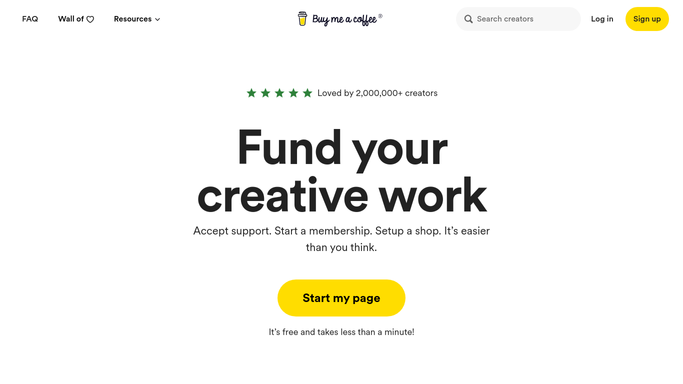
WebRun opens Buy Me a Coffee to check for new supporters and members. - Open your Buy Me a Coffee page and check for new supporters since the last run
- Note one-time supporters separately from new membership signups
- Check whether any tier includes a perk that needs manual fulfillment
Done when Every new supporter and member since the last run has been identified.
-
2
Google Calendar - remind you to fulfill perks
calendar.google.com How to Automate Google Calendar

WebRun opens Google Calendar to remind you to fulfill perks. - Add a reminder for any perk that needs fulfilling, like a shoutout or a mailed item
- Include the supporter's name and tier in the event
- Mark it done once you've fulfilled the perk
Done when Every perk owed has a calendar reminder.
-
3
WhatsApp - summarize new support
whatsapp.com How to Automate WhatsApp

WebRun opens WhatsApp to summarize new support. - Send a summary naming new supporters and members and their tier
- Keep it short enough to read in one glance
- Send nothing if there's no new support since the last run
Done when You've been sent a summary of every new supporter and member.
How is each run configured?
Secure by default
Connect once, stays signed in
WebRun signs in once and keeps each session in a persistent environment, so every run picks up right where it left off.
Every action is checked against this policy before it runs.
Questions, answered
Will it thank supporters on my behalf?
No. WebRun only summarizes who supported you. Thanking them, publicly or directly, is still something you do yourself.
How does it know which tiers have a perk to fulfill?
You tell it which tiers include something you need to send or do. It only reminds you about those, not every signup.
What if I get a lot of support in one day?
The WhatsApp summary groups everyone together instead of sending a separate message per supporter, so a busy day doesn't flood your phone.
Related templates
Put this on autopilot.
Turn it on in minutes - or have our team set it up for you.