Chase unanswered posts in your BuddyBoss community
Every morning, WebRun opens your BuddyBoss community admin dashboard, finds forum posts and discussions unanswered past your set window, creates a Trello card for each, and notifies your team in Microsoft Teams so someone can follow up.
- No credit card
- Under $0.01 per run
- Cancel anytime
How do I stop posts in my BuddyBoss community from going unanswered?
WebRun checks your BuddyBoss community every morning for forum posts and discussions unanswered past your set window. It creates a Trello card for each one and notifies your team in Microsoft Teams, so member questions get a timely reply and nothing in your community sits ignored long enough to hurt engagement.
- Overdue posts get surfaced the same morning they cross the line
- Every follow-up has a clear owner on a Trello card
- Already-answered posts drop off the list automatically each run
Built for community managers · course creators · membership site owners · moderation teams
What does WebRun do on every run?
The exact actions WebRun takes, in order - in plain language, so you can adjust anything.
-
WebRun signs in and gets to work
Opens
www.buddyboss.comin a real browser with your saved login - no setup, no API keys. -
1
BuddyBoss - find unanswered posts
buddyboss.com
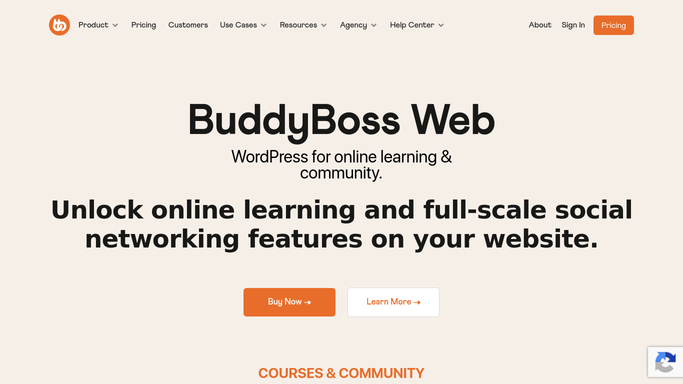
WebRun opens BuddyBoss to find unanswered posts. - Open your community admin dashboard and check forum posts and discussions
- Find anything unanswered for longer than your set window
- Note the topic, the original poster, and how long it's been waiting
Done when Every unanswered post past the window has been found and noted.
-
2
Trello - card each one for follow-up
trello.com How to Automate Trello

WebRun opens Trello to card each one for follow-up. - Create a card for each overdue post with a link back to the thread
- Put the card in your community follow-ups board
- Sort so the longest-waiting posts sit at the top
Done when Every overdue post has its own Trello card.
-
3
Microsoft Teams - notify your team
microsoft.com How to Automate Microsoft Teams

WebRun opens Microsoft Teams to notify your team. - Post today's overdue posts and their Trello cards to your team channel
- Tag whoever owns community moderation this week
- Leave posting the actual reply on BuddyBoss to a teammate
Done when Your team has today's overdue post list in Teams.
How is each run configured?
Secure by default
Connect once, stays signed in
WebRun signs in once and keeps each session in a persistent environment, so every run picks up right where it left off.
Every action is checked against this policy before it runs.
Questions, answered
Will WebRun reply to community posts for me?
No. It only finds and cards them. Replying in your BuddyBoss community is public and stays a manual step for your team.
How does it decide something is overdue?
It compares each post's age against the wait window you set, and only cards the ones that have crossed it.
What happens once a post finally gets a reply?
It reads the live thread status each morning, so anything already answered is left off the next day's list automatically.
Related templates
Put this on autopilot.
Turn it on in minutes - or have our team set it up for you.