Know when your test runs start queueing
Every hour, WebRun signs in to BrowserStack, reads how many parallel sessions are running against your plan limit, finds builds sitting in the queue waiting for a free slot, posts the picture to Slack, and pings the QA lead in Telegram when the wait crosses your threshold.
- No credit card
- Under $0.01 per run
- Cancel anytime
How do I know when my test runs are queueing against my plan limit?
WebRun checks your BrowserStack parallel usage every hour, reading sessions in use against your plan limit and the builds queued for a free slot. It posts the capacity picture to Slack and pings the QA lead in Telegram once the wait crosses your threshold, so a slow pipeline gets the right fix.
- A throttled pipeline is diagnosed as capacity, not broken tests
- The queue is visible within the hour it forms
- Peak usage between checks is captured, not missed
Built for QA leads · test engineers · platform teams · engineering managers
What does WebRun do on every run?
The exact actions WebRun takes, in order - in plain language, so you can adjust anything.
-
WebRun signs in and gets to work
Opens
www.browserstack.com/users/sign_inin a real browser with your saved login - no setup, no API keys. -
1
BrowserStack - read parallels in use
browserstack.com
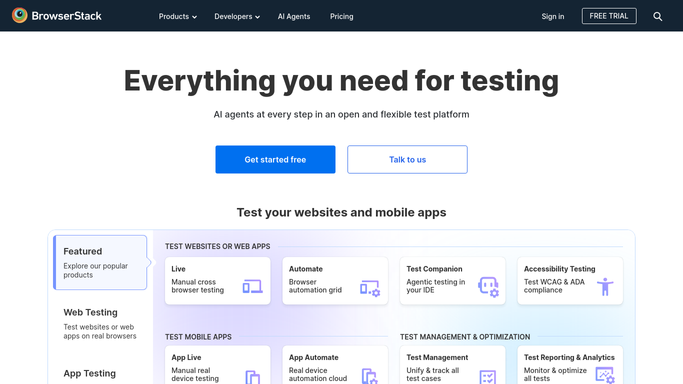
WebRun opens BrowserStack to read parallels in use. - Sign in to BrowserStack and read how many parallel sessions are running right now
- Compare that against the parallel limit on your plan
- List the builds currently queued and how long each has been waiting for a slot
- Note which project or pipeline each queued build belongs to
- Record the peak usage seen since the last run, so a short burst is not missed between checks
Done when Current parallels, the plan limit, the queue, and the peak since the last run are all captured.
-
2
Slack - post the capacity picture
slack.com How to Automate Slack

WebRun opens Slack to post the capacity picture. - Post the hourly capacity line to your engineering channel in Slack: parallels in use, plan limit, builds queued
- Name the projects whose builds are waiting and the longest wait
- Keep the post short when nothing is queued, so the channel stays readable
- Show the peak since the last check, so a burst between runs is still visible
Done when The engineering channel has the current capacity picture and any queue.
-
3
Telegram - ping the QA lead
telegram.org How to Automate Telegram

WebRun opens Telegram to ping the QA lead. - Ping the QA lead in Telegram once builds have queued past the wait you set
- Say how many builds are waiting, the longest wait, and how long usage has been at the limit
- Stay quiet while there is spare capacity, so the alert keeps its meaning
- Leave plan changes and pipeline throttling to your team. WebRun never upgrades a plan
Done when The QA lead has been pinged whenever the queue crossed the threshold.
How is each run configured?
Secure by default
Connect once, stays signed in
WebRun signs in once and keeps each session in a persistent environment, so every run picks up right where it left off.
Every action is checked against this policy before it runs.
Questions, answered
Will it upgrade my plan or cancel a build?
No. WebRun reads your parallel usage and the queue, then reports it. Upgrading a plan, buying parallels, or stopping a build stays with your team, so no spend happens without you.
Will it post every hour even when nothing is queued?
The Slack line stays short when there is spare capacity, and the Telegram ping only fires once builds have queued past the wait you set, so the alert keeps its meaning.
Can it tell throttling apart from broken tests?
Yes. It reports parallels in use against the plan limit and the time builds spend waiting for a slot, so a slow pipeline caused by capacity looks different from one caused by failures.
Related templates
Put this on autopilot.
Turn it on in minutes - or have our team set it up for you.