Reconcile your Brevo subscriber list for you
Every Monday, WebRun opens Brevo, exports the current subscriber and unsubscribe list, reconciles it against the master contact sheet stored in Google Drive, flags any contacts missing from one side or the other, and posts the reconciliation summary to Slack.
- No credit card
- Under $0.01 per run
- Cancel anytime
How do I reconcile my Brevo subscriber list against my master contact sheet?
WebRun reconciles your Brevo subscriber and unsubscribe list against the master contact sheet in Google Drive every Monday, flags any contact missing from one side or the other, and posts the summary to Slack, so your marketing ops team catches list drift weekly instead of discovering it during a campaign send.
- List drift gets caught weekly instead of during a campaign send
- One consistent source of truth between Brevo and your master sheet
- No contact gets added or removed without a human decision
Built for email marketers · marketing operations · small business teams
What does WebRun do on every run?
The exact actions WebRun takes, in order - in plain language, so you can adjust anything.
-
WebRun signs in and gets to work
Opens
app.brevo.comin a real browser with your saved login - no setup, no API keys. -
1
Brevo - export the subscriber list
brevo.com
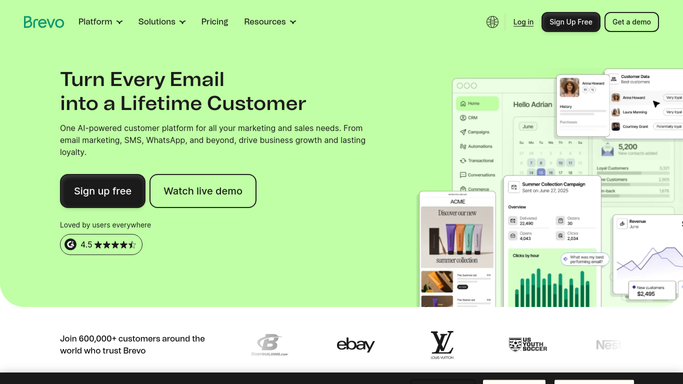
WebRun opens Brevo to export the subscriber list. - Open Brevo and export current subscribers and unsubscribes
- Note the total count and the most recent list changes
- Capture the export as this week's source list
Done when This week's Brevo subscriber and unsubscribe list is captured.
-
2
Google Drive - reconcile against the master sheet
drive.google.com How to Automate Google Drive

WebRun opens Google Drive to reconcile against the master sheet. - Open the master contact sheet stored in Google Drive
- Compare it against this week's Brevo export line by line
- List contacts present in one source but missing from the other
Done when Every mismatch between Brevo and the master sheet is listed.
-
3
Slack - report the mismatches
slack.com How to Automate Slack

WebRun opens Slack to report the mismatches. - Post the reconciliation summary to the marketing ops channel
- List the count of mismatches and a few examples
- Leave the fix to the list owner, WebRun does not delete or add contacts on its own
Done when The team has this week's reconciliation summary in Slack.
How is each run configured?
Secure by default
Connect once, stays signed in
WebRun signs in once and keeps each session in a persistent environment, so every run picks up right where it left off.
Every action is checked against this policy before it runs.
Questions, answered
Will it delete or add contacts automatically?
No. WebRun only flags mismatches for review. Adding, merging, or deleting a contact is always a decision a human makes.
What counts as a mismatch?
Any contact that appears in Brevo but not on the master sheet, or the other way around, including any Brevo unsubscribe not yet reflected on the sheet.
How often does it run?
Every Monday morning, so mismatches are caught weekly before they pile up into a bigger cleanup job.
Related templates
Put this on autopilot.
Turn it on in minutes - or have our team set it up for you.