Get a weekly scorecard of your email campaigns
Every Monday, WebRun opens Brevo, reads every campaign sent in the past week with its delivered, open, click, bounce, and unsubscribe figures, writes one record per campaign into Airtable, compares each against your running average, and publishes a plain-English scorecard to Notion naming what worked and what did not.
- No credit card
- Under $0.01 per run
- Cancel anytime
How do I get a weekly report of my Brevo email campaign performance?
WebRun opens Brevo every Monday and reads every campaign sent in the past week with its delivered, open, click, bounce, and unsubscribe figures. It records each one in Airtable, compares the rates against your trailing average, and publishes a plain-English scorecard to Notion for the whole team.
- Every campaign is judged against your own trailing average
- Rising bounce and unsubscribe rates get flagged early
- The team reads one scorecard instead of five dashboards
Built for marketing teams · ecommerce brands · agencies · newsletter publishers
What does WebRun do on every run?
The exact actions WebRun takes, in order - in plain language, so you can adjust anything.
-
WebRun signs in and gets to work
Opens
app.brevo.comin a real browser with your saved login - no setup, no API keys. -
1
Brevo - read last week's campaign results
brevo.com
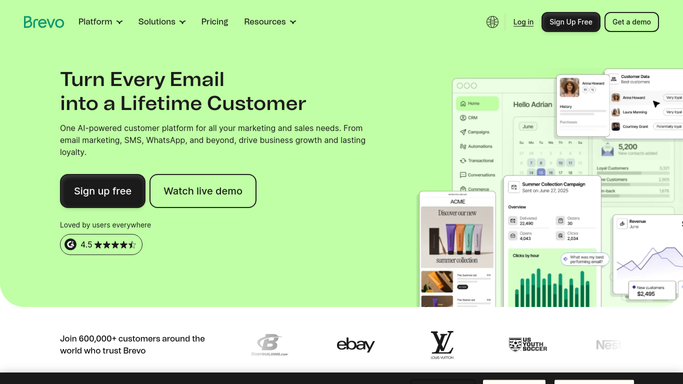
WebRun opens Brevo to read last week's campaign results. - Open Brevo and go to your campaign statistics for the past seven days
- Capture each campaign with its subject line, send date, list, and audience size
- Record delivered, opened, clicked, bounced, and unsubscribed figures for each
- Note the send time and segment so patterns are traceable
- Read only. Never send, schedule, or edit a campaign
Done when Every campaign sent last week is captured with its full result set.
-
2
Airtable - record every campaign
airtable.com How to Automate Airtable

WebRun opens Airtable to record every campaign. - Open your campaign base in Airtable and add one record per campaign
- Fill in subject line, segment, send time, audience size, and every result figure
- Calculate open, click, bounce, and unsubscribe rates from the raw counts
- Compare each rate against your trailing average and mark it above or below
Done when Every campaign has a record with rates and a comparison against your average.
-
3
Notion - publish the scorecard
notion.so How to Automate Notion

WebRun opens Notion to publish the scorecard. - Publish this week's scorecard to your marketing page in Notion
- Lead with the best performing subject line and the one that underperformed
- Show the week's totals and how each rate moved against the trailing average
- Call out any campaign with a bounce or unsubscribe rate above your warning level
- Link back to the Airtable base for the full history
Done when The team has a readable scorecard for last week's sends.
How is each run configured?
Secure by default
Connect once, stays signed in
WebRun signs in once and keeps each session in a persistent environment, so every run picks up right where it left off.
Every action is checked against this policy before it runs.
Questions, answered
Will it send or edit campaigns?
No. WebRun reads Brevo campaign statistics only. It never sends, schedules, duplicates, or edits a campaign, and it never adds or removes a contact from a list.
What does it compare each campaign against?
Your own trailing average, built from the campaign records already in Airtable, so a good week is judged against your real history rather than an industry benchmark.
What if we sent nothing last week?
It publishes a short note saying no campaigns went out and still shows the trailing averages, so a quiet week is explicit rather than an empty page.
Related templates
Put this on autopilot.
Turn it on in minutes - or have our team set it up for you.