Automated Blur NFT Trade Ledger
Every night, WebRun opens Blur, reads the purchases and sales your wallet completed that day, captures the collection, token, price and gas fee for each, appends every trade to your Notion ledger, and drafts a Gmail summary you can forward to your accountant.
How do I keep a record of every NFT trade I made on Blur?
Every night WebRun opens Blur, reads the purchases and sales your wallet completed that day, and records each one with the collection, token, price, and gas fee. It appends every trade to your Notion ledger and drafts a Gmail summary for your accountant, so the record is ready at tax time.
- Every trade is recorded the night it happens
- Gas and marketplace fees are captured alongside the price
- Tax season starts from a ledger, not a block explorer
Built for NFT collectors · digital asset traders · crypto accountants · web3 treasuries
What does WebRun do on every run?
The exact actions WebRun takes, in order - in plain language, so you can adjust anything.
-
WebRun signs in and gets to work
Opens
blur.ioin a real browser with your saved login - no setup, no API keys. -
1
Blur - read the day's completed trades
blur.io
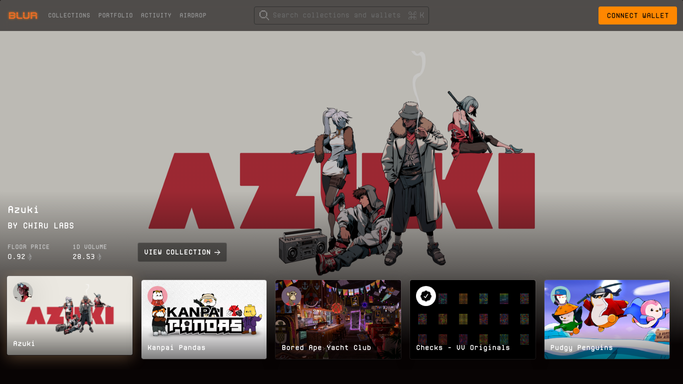
WebRun opens Blur to read the day's completed trades. - Open Blur and review your wallet's activity for the day just finished
- Separate completed purchases from completed sales and ignore open bids and listings
- Capture the collection, the token id, the price paid or received, and the timestamp
- Record the gas fee and any marketplace fee attached to each trade
Done when Every completed trade from the day is captured with its price and fees.
-
2
Notion - append each trade to the ledger
notion.so

WebRun opens Notion to append each trade to the ledger. - Append one row per trade to your ledger database in Notion
- Fill the date, side, collection, token id, price, gas fee, and net amount
- Skip any trade already in the ledger so a rerun never duplicates a row
- Keep a running total of purchases and sales for the current month
Done when Every completed trade has exactly one dated row in the Notion ledger.
-
3
Gmail - draft the summary for your accountant
gmail.com

WebRun opens Gmail to draft the summary for your accountant. - Draft a short Gmail summary of the day's trades with the totals bought and sold
- List each trade on its own line with collection, price, and fee
- Link the Notion ledger so the full history is one click away
- Leave it in Drafts so you decide whether it goes to your accountant
Done when A dated trade summary sits in Gmail Drafts alongside the updated ledger.
How is each run configured?
Secure by default
Connect once, stays signed in
WebRun signs in once and keeps each session in a persistent environment, so every run picks up right where it left off.
Every action is checked against this policy before it runs.
Questions, answered
Can it buy, sell, bid, or list anything?
No. WebRun reads your completed activity and writes it down. It never places a bid, accepts one, lists a token, or signs a transaction of any kind.
Will it email my accountant on its own?
No. The summary is left in Gmail Drafts. You read it and decide whether to send it, so nothing about your holdings leaves your account without you.
What if the ledger already has today's trades?
It checks each trade against the rows already in Notion before writing, so running the job twice in one night leaves the ledger with one row per trade.
Related templates
Put this on autopilot.
Turn it on in minutes - or have our team set it up for you.