Automated BlueWallet Transaction Alerts
Every 30 minutes, WebRun opens BlueWallet, checks the balance and recent transaction list for each wallet you track, posts a Telegram message the moment a new transaction appears, and texts you through Twilio when a deposit crosses the size you set.
How do I get alerted when my BlueWallet balance changes?
WebRun checks your BlueWallet balance and transaction list every 30 minutes, comparing it against the previous check. It posts a Telegram message the moment a new transaction appears and updates it once confirmed, then texts you through Twilio for any deposit above the size you set, so you notice real activity without watching the app.
- New transactions are posted within 30 minutes instead of discovered days later
- Large deposits trigger an immediate text instead of blending into the noise
- Every tracked wallet is checked on the same schedule automatically
Built for bitcoin holders · BlueWallet users · self custody users · Lightning Network users
What does WebRun do on every run?
The exact actions WebRun takes, in order - in plain language, so you can adjust anything.
-
WebRun signs in and gets to work
Opens
bluewallet.ioin a real browser with your saved login - no setup, no API keys. -
1
BlueWallet - check balance and recent transactions
bluewallet.io
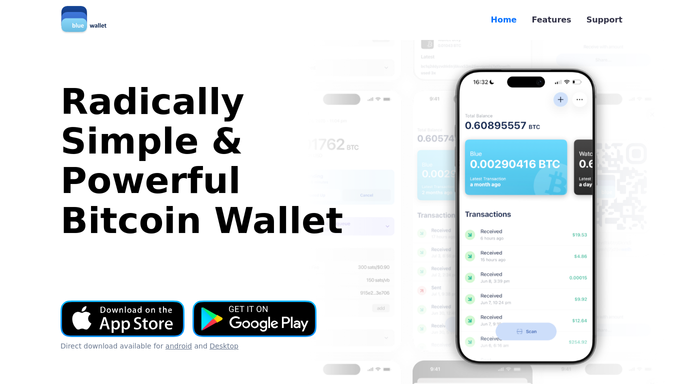
WebRun opens BlueWallet to check balance and recent transactions. - Open BlueWallet and review the balance for each wallet you track
- Compare the current balance and transaction list against the last check
- Note the amount and confirmation status of any new transaction
Done when Every tracked wallet's balance and newest transactions are recorded for this check.
-
2
Telegram - post the new transaction
telegram.org

WebRun opens Telegram to post the new transaction. - Post a Telegram message for every new transaction found
- Include the amount, direction, and confirmation status
- Update the message once a transaction reaches full confirmation
Done when Telegram has a message for every new transaction since the last check.
-
3
Twilio - text on large deposits
twilio.com

WebRun opens Twilio to text on large deposits. - Send a text only when an incoming deposit is above the size you set
- Keep the text to the wallet name and the deposit amount
- Never send, sweep, or move funds from any wallet
Done when A text goes out only for deposits above your set size.
How is each run configured?
Secure by default
Connect once, stays signed in
WebRun signs in once and keeps each session in a persistent environment, so every run picks up right where it left off.
Every action is checked against this policy before it runs.
Questions, answered
Can WebRun send or move bitcoin from my BlueWallet?
No. WebRun only reads balances and transaction history and reports on them. It never sends, sweeps, or signs a transaction from any wallet, and it never has access to move your funds.
Does it wait for confirmations before alerting?
It alerts as soon as a new transaction appears, then updates the same message once it reaches full confirmation, so you see activity immediately without losing track of its confirmed status.
Can I track more than one wallet?
Yes. It checks every wallet you add, whether on chain or Lightning, and reports transactions from each one separately.
Related templates
Put this on autopilot.
Turn it on in minutes - or have our team set it up for you.