Automated BlueMail Unanswered Email Chasing
Every day, WebRun opens BlueMail, finds messages that asked you something more than two days ago and never got a reply, drafts a short response in Gmail for each one, and WhatsApps you the list so nothing important sits forgotten in the thread.
How do I find emails I forgot to reply to?
WebRun opens BlueMail each day, finds messages from real people that have waited more than two days for your reply, and drafts a short response in Gmail for every one. It then WhatsApps you a one-line-per-message chase list, oldest first. Drafts always wait for you to approve and send.
- Nobody waits more than two days without at least a holding reply
- A draft is already written, so clearing the backlog takes minutes
- Newsletters and receipts never clutter the chase list
Built for founders · consultants · account managers · busy professionals
What does WebRun do on every run?
The exact actions WebRun takes, in order - in plain language, so you can adjust anything.
-
WebRun signs in and gets to work
Opens
bluemail.mein a real browser with your saved login - no setup, no API keys. -
1
BlueMail - find messages you never answered
bluemail.me
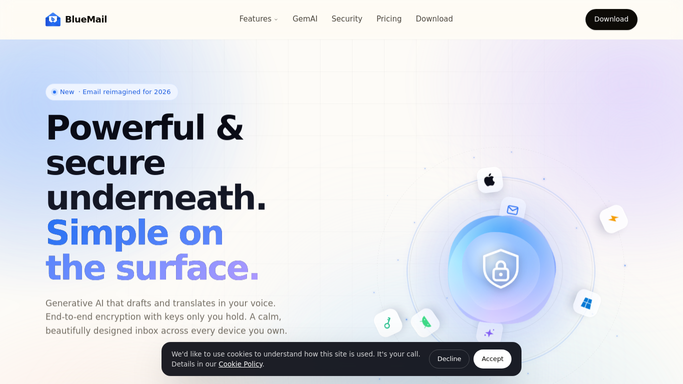
WebRun opens BlueMail to find messages you never answered. - Open BlueMail and review threads across the accounts you connect
- Find messages received more than 2 days ago where you are the last person expected to reply
- Skip newsletters, receipts and automated notifications, and note the sender, subject and what they asked
Done when Every genuine message still awaiting your reply is listed with its age.
-
2
Gmail - draft a reply for each
gmail.com

WebRun opens Gmail to draft a reply for each. - Draft a short reply in Gmail for each waiting message
- Answer the actual question where the thread makes the answer clear, and otherwise write a holding note with a date you will come back to them
- Leave every message in Drafts. WebRun never sends mail on your behalf
Done when A draft reply is waiting in Gmail for every message on the list.
-
3
WhatsApp - send you the waiting list
whatsapp.com

WebRun opens WhatsApp to send you the waiting list. - WhatsApp yourself the list of who is waiting and for how long
- Put the oldest thread and anyone you have already promised a reply to at the top
- Keep it to one line per message so it reads on a phone in seconds
Done when You have today's chase list with a draft already written for each item.
How is each run configured?
Secure by default
Connect once, stays signed in
WebRun signs in once and keeps each session in a persistent environment, so every run picks up right where it left off.
Every action is checked against this policy before it runs.
Questions, answered
Will it send emails for me?
No. Every reply is left in Gmail Drafts for you to read, edit and send. WebRun writes, you approve. Nothing reaches a sender without a person pressing send.
Will it reply to newsletters and receipts?
No. It skips newsletters, automated notifications and receipts, and only lists threads where a real person asked you something and you were the last one expected to answer.
Does it delete or archive anything?
No. WebRun only reads your mailbox and writes drafts. It never deletes a message, never archives a thread, and never changes a folder or a label.
Related templates
Put this on autopilot.
Turn it on in minutes - or have our team set it up for you.