Watch your open Bitget positions for you
Every hour, WebRun signs in to Bitget, reads your account balance and every open position with its entry price, unrealized profit or loss, and margin ratio, sends a Telegram alert the moment any of them crosses a limit you set, and keeps a running log in Slack so the whole picture is in one place.
- No credit card
- Under $0.01 per run
- Cancel anytime
How do I get alerted when my crypto positions hit a risk limit?
WebRun signs in to Bitget every hour and reads your balance plus every open position with its entry price, unrealized profit or loss, margin ratio, and liquidation price. It sends a Telegram alert the moment any limit you set is crossed and logs each hourly reading to a private Slack channel.
- A breached margin limit reaches your phone within the hour
- Quiet hours stay quiet, so alerts still mean something
- A continuous hourly record of balance and positions builds itself in Slack
Built for active traders · crypto investors · trading desks · portfolio managers
What does WebRun do on every run?
The exact actions WebRun takes, in order - in plain language, so you can adjust anything.
-
WebRun signs in and gets to work
Opens
www.bitget.comin a real browser with your saved login - no setup, no API keys. -
1
Bitget - read positions and balance
bitget.com
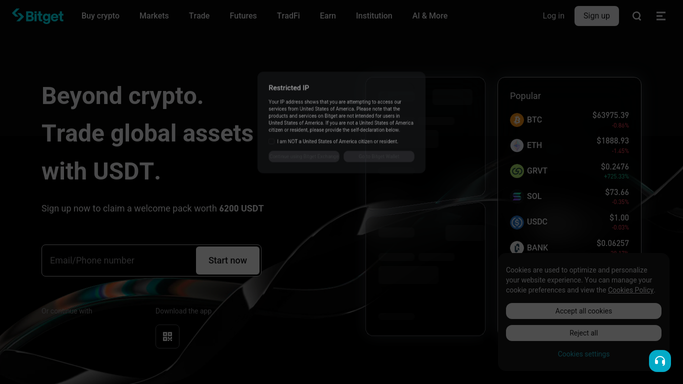
WebRun opens Bitget to read positions and balance. - Sign in to Bitget and open the assets overview
- Capture the total account balance and the available balance
- List every open position with its symbol, size, entry price, mark price, and unrealized profit or loss
- Read the margin ratio and the liquidation price on each leveraged position
- Compare each figure against the limits you configured
Done when Every open position has been read and checked against your limits.
-
2
Telegram - alert on a crossed limit
telegram.org How to Automate Telegram

WebRun opens Telegram to alert on a crossed limit. - Send an alert only when a limit is crossed, not on every run
- Name the symbol, the limit that was breached, and the current figure
- Include the margin ratio and liquidation price on leveraged positions
- Stay silent on the hours when nothing crosses a limit
Done when Any breached limit has reached your phone within the hour.
-
3
Slack - keep the running log
slack.com How to Automate Slack

WebRun opens Slack to keep the running log. - Post an hourly line to a private channel with balance and total unrealized profit or loss
- Thread the detail per position so the channel stays readable
- Mark the entries where an alert fired so the history is easy to scan
Done when The Slack channel holds a continuous hourly record of the account.
How is each run configured?
Secure by default
Connect once, stays signed in
WebRun signs in once and keeps each session in a persistent environment, so every run picks up right where it left off.
Every action is checked against this policy before it runs.
Questions, answered
Will it place, close, or adjust any trade?
No. WebRun is read-only on Bitget. It never opens or closes a position, never changes leverage, never adds margin, and never withdraws or transfers funds. It watches and tells you.
Is this financial advice?
No. WebRun reports the figures your own account already shows against limits you set yourself. It does not recommend trades, rate assets, or offer any investment opinion.
Will it message me every hour?
No. Telegram stays silent unless a limit is crossed. The hourly reading goes to a private Slack channel, so the history is there without your phone buzzing all day.
Related templates
Put this on autopilot.
Turn it on in minutes - or have our team set it up for you.