Track progress toward every Betterment goal automatically
On the first Monday of each month, WebRun opens Betterment, reads the current balance, target amount, and projected timeline for each goal you have set, logs the progress percentage to an Airtable tracker, and writes a short Notion note flagging any goal that is falling behind its original projection.
- No credit card
- Under $0.01 per run
- Cancel anytime
How do I track progress on my Betterment goals every month?
WebRun reads the balance, target, and projected timeline for every Betterment goal once a month and logs the progress percentage to an Airtable tracker. It writes a short Notion note flagging any goal whose likelihood of hitting its target date has dropped, so a goal quietly falling behind gets caught early instead of at the deadline.
- A goal falling off pace gets flagged months before its target date, not at it
- Progress on every goal builds into a real history instead of a single snapshot
- On-track goals stay quiet, so the notes you do get are worth reading
Built for Betterment users · goal-based investors · retirement savers · robo advisor clients
What does WebRun do on every run?
The exact actions WebRun takes, in order - in plain language, so you can adjust anything.
-
WebRun signs in and gets to work
Opens
www.betterment.comin a real browser with your saved login - no setup, no API keys. -
1
Betterment - read goal balances and targets
betterment.com
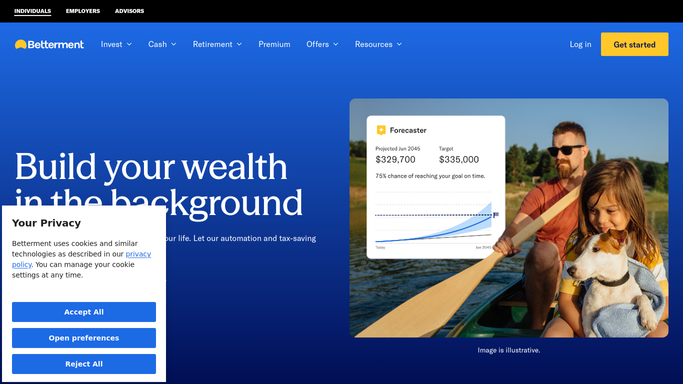
WebRun opens Betterment to read goal balances and targets. - Open Betterment and read the current balance for each goal
- Read the target amount and target date for each
- Note Betterment's own projected likelihood of hitting the target on time
Done when Every goal's balance, target, and projection is captured for this month.
-
2
Airtable - log this month's progress
airtable.com How to Automate Airtable

WebRun opens Airtable to log this month's progress. - Append this month's balance and progress percentage as a new row per goal
- Calculate the change in progress percentage since last month
- Keep every prior month's row so progress builds a real history
Done when This month's progress is logged for every goal.
-
3
Notion - flag goals falling behind
notion.so How to Automate Notion

WebRun opens Notion to flag goals falling behind. - Write a short note listing any goal whose projected likelihood of hitting target dropped
- State how far behind pace the goal is in plain terms
- Skip the note on a month where every goal is on track
Done when Any goal falling behind is written up in Notion, or nothing is written if all are on track.
How is each run configured?
Secure by default
Connect once, stays signed in
WebRun signs in once and keeps each session in a persistent environment, so every run picks up right where it left off.
Every action is checked against this policy before it runs.
Questions, answered
Will WebRun increase my contributions if a goal falls behind?
No. WebRun only reads goal balances and reports on progress. It never changes a contribution amount, never moves funds, and any adjustment to your Betterment account is something you do yourself.
How does it decide a goal is falling behind?
It reads Betterment's own projected likelihood of hitting your target date and flags a goal when that likelihood drops from the prior month, rather than applying its own separate calculation.
Does this cover retirement accounts as well as regular goals?
Yes. Any goal you have set up in Betterment, including retirement accounts, is read and tracked the same way in the monthly log.
Related templates
Put this on autopilot.
Turn it on in minutes - or have our team set it up for you.