Automated Beekeeper Unread Post Chasing
Every weekday morning, WebRun opens Beekeeper, finds the important posts that still have not been read by everyone, drafts a short Gmail nudge to each team lead listing who is missing, and puts a follow-up check in your Google Calendar.
How do I chase frontline staff who have not read a Beekeeper post?
WebRun opens Beekeeper each weekday morning, finds important posts that staff have not read, and captures who is missing by team and shift. It drafts a Gmail nudge to every team lead and books a Google Calendar follow-up, so critical frontline announcements get chased instead of quietly ignored.
- Important announcements get chased within a day instead of a week
- Team leads see exactly who is missing, not just a read percentage
- Fully read posts drop off the chase list automatically
Built for retail operations · manufacturing teams · hospitality managers · internal communications
What does WebRun do on every run?
The exact actions WebRun takes, in order - in plain language, so you can adjust anything.
-
WebRun signs in and gets to work
Opens
www.beekeeper.ioin a real browser with your saved login - no setup, no API keys. -
1
Beekeeper - find posts with low read rates
beekeeper.io
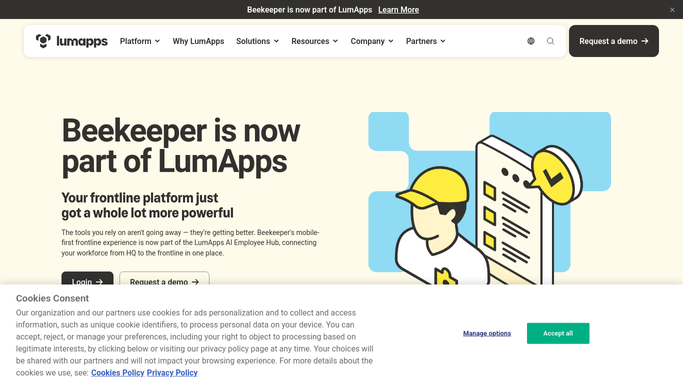
WebRun opens Beekeeper to find posts with low read rates. - Open Beekeeper and go to the streams your team posts announcements in
- List posts from the last 7 days that are still marked as required or important
- Read the read and confirmation counts on each post and capture who has not opened it
- Group the missing readers by team, location, and shift
Done when Every important post from the last week has a list of people who have not read it.
-
2
Gmail - draft a nudge to each team lead
gmail.com

WebRun opens Gmail to draft a nudge to each team lead. - Draft one short email per team lead naming the post and the people who still have not read it
- Include the post title, the date it went out, and the deadline if there is one
- Leave every email in Drafts for you to review. WebRun never sends staff email on its own
Done when A ready-to-send nudge sits in Drafts for each team lead with a gap.
-
3
Google Calendar - book the follow-up check
calendar.google.com

WebRun opens Google Calendar to book the follow-up check. - Create a short follow-up event two days out titled with the post name
- Add the team leads who were nudged to the event description
- Skip creating the event when the post already reached full read confirmation
Done when Each chased post has a dated follow-up check on your calendar.
How is each run configured?
Secure by default
Connect once, stays signed in
WebRun signs in once and keeps each session in a persistent environment, so every run picks up right where it left off.
Every action is checked against this policy before it runs.
Questions, answered
Will it email my staff without me approving it?
No. Every nudge is left as a Gmail draft addressed to the team lead, and nothing goes out until you press send. WebRun never messages frontline staff directly.
How does it know which posts matter?
It reads the posts you marked as required or important in Beekeeper and looks only at the last seven days, so routine chatter is ignored and old announcements stop being chased.
What happens once everyone has read a post?
The post drops off the list on the next run. WebRun reads the live read and confirmation counts in Beekeeper each morning, so fully read posts are skipped and no follow-up event is created.
Related templates
Put this on autopilot.
Turn it on in minutes - or have our team set it up for you.