Read the week's churn and the reasons behind it
Every Monday, WebRun opens Baremetrics, pulls the cancellations from the past seven days, groups them by stated reason and by plan with the revenue attached, drafts the summary email in Gmail, and attaches the readout to your Monday call in Google Calendar.
- No credit card
- Under $0.01 per run
- Cancel anytime
How do I see why customers cancelled this week?
WebRun reviews churn every Monday. It opens Baremetrics, pulls the week's cancellations, groups them by stated reason and plan with the MRR attached, drafts an internal summary in Gmail, and adds the readout to your Monday call in Google Calendar before the meeting starts.
- Churn is read by reason, not just as a number
- The reason costing the most revenue is named first
- The readout is on the calendar entry before the call begins
Built for SaaS founders · subscription businesses · customer success leads · growth teams
What does WebRun do on every run?
The exact actions WebRun takes, in order - in plain language, so you can adjust anything.
-
WebRun signs in and gets to work
Opens
app.baremetrics.comin a real browser with your saved login - no setup, no API keys. -
1
Baremetrics - group churn by reason and plan
baremetrics.com
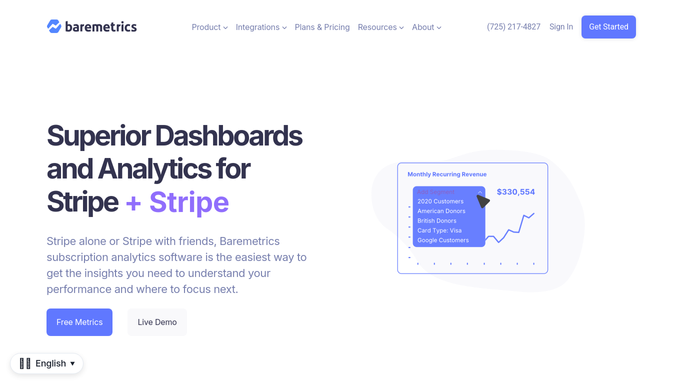
WebRun opens Baremetrics to group churn by reason and plan. - Open Baremetrics and list every cancellation from the past seven days
- Capture the customer, the plan they were on, their tenure, and the MRR lost
- Group the cancellations by the reason given at cancellation
- Rank the reasons by revenue attached, not just by count, and compare with the previous week
Done when Every cancellation this week is grouped by reason with its revenue attached.
-
2
Gmail - draft the summary email
gmail.com How to Automate Gmail

WebRun opens Gmail to draft the summary email. - Draft an internal summary email with the top reasons, the accounts behind each, and the churned MRR
- Put the reason costing the most revenue first, with the plans most affected
- Leave the email as an unsent draft. WebRun never emails a customer who cancelled
Done when A drafted churn summary is waiting in Gmail for you to review and send internally.
-
3
Google Calendar - attach it to the Monday call
calendar.google.com How to Automate Google Calendar

WebRun opens Google Calendar to attach it to the Monday call. - Find this week's Monday call in Google Calendar
- Add the churn readout to the event description so it is open when the call starts
- Note the week-on-week change in churned MRR at the top
Done when The Monday call carries this week's churn readout in its description.
How is each run configured?
Secure by default
Connect once, stays signed in
WebRun signs in once and keeps each session in a persistent environment, so every run picks up right where it left off.
Every action is checked against this policy before it runs.
Questions, answered
Will it email customers who cancelled?
No. The only email WebRun writes is an internal summary, and it stays an unsent Gmail draft until you send it. No cancelled customer is contacted.
What if a customer gave no reason?
Those are grouped under no reason given and counted separately, with their revenue shown, so the size of the blind spot is visible rather than hidden.
Does it rank by number of cancellations or by revenue?
By revenue attached, so a reason that took two large accounts outranks one that took five small ones. Both figures are shown for each reason.
Related templates
Put this on autopilot.
Turn it on in minutes - or have our team set it up for you.