Kickoff a smooth onboarding for every new bail bond client
When a new bond is executed in Captira, WebRun checks for any outstanding documents still needed from the indemnitor, sends the indemnity agreement and any required collateral forms via DocuSign for electronic signature, and immediately posts a new client onboarding checklist to Slack so the agent has a clear action list to complete the file.
- No credit card
- Under $0.01 per run
- Cancel anytime
What does WebRun do on every run?
The exact actions WebRun takes, in order - in plain language, so you can adjust anything.
-
WebRun signs in and gets to work
Opens
app.captira.com/loginin a real browser with your saved login - no setup, no API keys. -
1
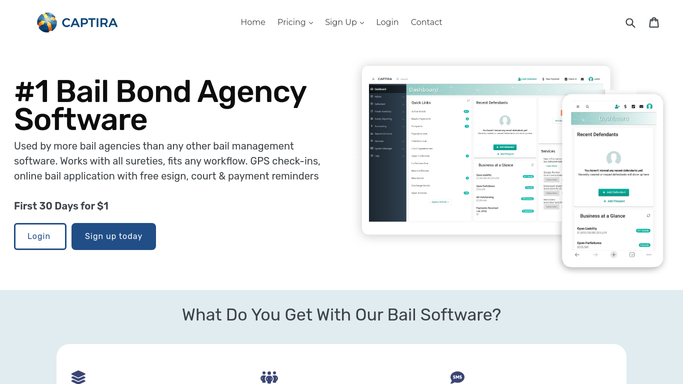
Captira - detect new bond and check for missing documents
captira.com How to Automate Captira

WebRun opens Captira to detect new bond and check for missing documents. - Detect a new bond execution in Captira triggered by a status change to Active or Executed
- Review the bond record for the indemnitor name, email, phone, bond amount, court, and defendant name
- Identify which required documents are not yet received: indemnity agreement, collateral documentation, power of attorney, or co-signer forms
- Confirm the assigned agent for the bond
Done when The new bond details and list of outstanding required documents are collected from Captira.
-
2
DocuSign - send indemnity agreement and required forms for e-signature
docusign.com How to Automate DocuSign
WebRun opens DocuSign to send indemnity agreement and required forms for e-signature. - Prepare a DocuSign envelope with the indemnity agreement and any additional required forms specific to this bond
- Send the envelope to the indemnitor's email address captured from Captira
- Set a 72-hour completion deadline on the envelope and enable automatic DocuSign reminders
- Log the envelope ID back against the Captira bond record for tracking
Done when The DocuSign envelope is sent to the indemnitor with all required documents and a 72-hour completion window.
-
3
Slack - post onboarding checklist to assigned agent
slack.com How to Automate Slack
WebRun opens Slack to post onboarding checklist to assigned agent. - Post a new client onboarding checklist to the assigned agent's Slack channel
- Include defendant name, bond amount, indemnitor contact, DocuSign envelope status, and remaining open items
- List the next steps the agent must complete: confirm court date, schedule first check-in, and verify indemnitor identification
- Set a reminder for the agent to follow up on unsigned DocuSign documents after 24 hours
Done when The assigned agent has a complete onboarding checklist in Slack with all open items and next steps.


How do I automatically kickoff onboarding for a new bail bond client?
When a new bond is executed in Captira, WebRun collects the indemnitor details and outstanding document requirements, sends the indemnity agreement and required forms via DocuSign for electronic signature, and immediately posts a complete onboarding checklist to the assigned agent in Slack with all next steps.
- Every new bond triggers a consistent onboarding checklist and DocuSign agreement within minutes of execution
- Agents never have to manually track which documents are outstanding for a new client
- Indemnitors receive professional, prompt agreement requests that set the right tone from the start
Built for bail bond agency owners · bail bondsmen · bail agency office managers · surety agents
How is each run configured?
Secure by default
Connect once, stays signed in
WebRun signs in once and keeps each session in a persistent environment, so every run picks up right where it left off.
Every action is checked against this policy before it runs.
Questions, answered
Will it send documents to the indemnitor automatically without my agent reviewing?
The DocuSign envelope is prepared automatically using the templates your agency has pre-approved. Your agent reviews the Slack checklist and can halt or edit any document before the next run sends it. For a fully gated workflow, configure the agent to approve the envelope before dispatch.
What happens if the indemnitor does not sign the DocuSign agreement within 72 hours?
DocuSign sends its own automatic reminder within the envelope. WebRun also flags the unsigned envelope in the daily indemnitor document chaser workflow so your agent can follow up directly.
Can it handle different document sets for different bond types or sureties?
Yes. Configure multiple DocuSign templates for different bond types or surety requirements and tell WebRun which template to apply based on the bond details in Captira. It selects the right set automatically.
Related templates
Put this on autopilot.
Turn it on in minutes - or have our team set it up for you.