Route consumer disputes before the clock runs out
Every hour, WebRun checks TazWorks for newly submitted consumer disputes, logs the dispute, the disputed item, and the FCRA reinvestigation deadline to a sheet, routes it to the right investigator in Slack, and drafts an acknowledgment email in Gmail for your team to review and send.
- No credit card
- Under $0.01 per run
- Cancel anytime
What does WebRun do on every run?
The exact actions WebRun takes, in order - in plain language, so you can adjust anything.
-
WebRun signs in and gets to work
Opens
www.tazworks.comin a real browser with your saved login - no setup, no API keys. -
1
TazWorks - find the new dispute
tazworks.com How to Automate TazWorks

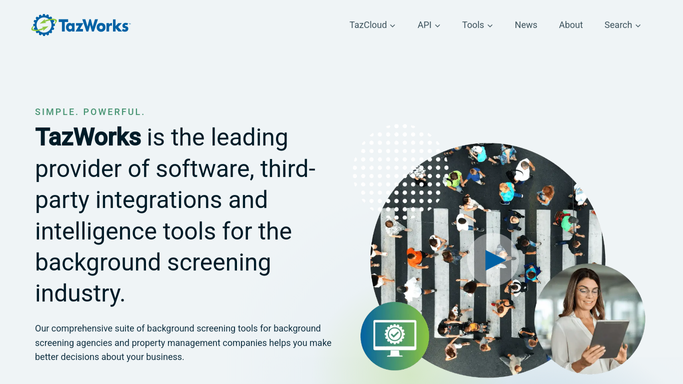
WebRun opens TazWorks to find the new dispute. - Open TazWorks and check for newly submitted consumer disputes
- Read the disputed item and the consumer's stated reason
- Calculate the FCRA reinvestigation deadline from the submission date
Done when Every new dispute is identified with its disputed item and deadline.
-
2
Google Sheets - log the dispute and deadline
google.com How to Automate Google Sheets
WebRun opens Google Sheets to log the dispute and deadline. - Log the dispute with consumer name, disputed item, and deadline date
- Mark its status as Open, awaiting investigator
Done when The dispute log has a row for every new dispute with its deadline.
-
3
Slack - route it to an investigator
slack.com How to Automate Slack
WebRun opens Slack to route it to an investigator. - Post the dispute to the investigations channel with the disputed item and deadline
- Tag the investigator assigned to that account or region
Done when An investigator has been notified and the deadline is visible in Slack.
-
4
Gmail - draft the acknowledgment
gmail.com How to Automate Gmail
WebRun opens Gmail to draft the acknowledgment. - Draft an acknowledgment email confirming the dispute was received and stating the review timeline
- Leave the email as a draft for your team to review and send
- Never send the acknowledgment automatically
Done when A ready-to-send acknowledgment draft exists for every new dispute.



How do I route and track consumer disputes on background check reports?
WebRun watches TazWorks every hour for newly submitted consumer disputes, logs each one with its disputed item and FCRA reinvestigation deadline to a sheet, and routes it to the assigned investigator in Slack. It also drafts a consumer acknowledgment in Gmail, left unsent for review, so every dispute is tracked, routed, and acknowledged inside the required window.
- Every dispute is logged with its deadline the day it arrives
- Investigators get routed disputes in Slack instead of an inbox search
- Consumer acknowledgments are ready to send, never sent unreviewed
Built for CRA compliance teams · background screening companies · investigations teams · consumer relations
How is each run configured?
Secure by default
Connect once, stays signed in
WebRun signs in once and keeps each session in a persistent environment, so every run picks up right where it left off.
Every action is checked against this policy before it runs.
Questions, answered
Will it respond to the consumer without review?
No. WebRun drafts the acknowledgment email in Gmail and leaves it unsent. Your team reviews and sends every reply to a consumer.
How does it calculate the deadline?
It works from the FCRA reinvestigation window measured against the dispute's submission date in TazWorks, so the deadline logged reflects the actual filing date, not a rough estimate.
Does it decide who investigates the dispute?
It routes based on the account or region assigned in TazWorks and tags that investigator in Slack. A person still owns and works the investigation.
Related templates
Put this on autopilot.
Turn it on in minutes - or have our team set it up for you.