Catch an unprotected device before it becomes a problem
Every morning, WebRun opens the AVG Business dashboard, checks every device for protection turned off or definitions badly out of date, saves the current device status list to Google Drive, and posts a Slack alert naming any device that needs attention.
- No credit card
- Under $0.01 per run
- Cancel anytime
How do I get alerted right away if a device's AVG protection turns off?
WebRun checks every device on your AVG Business dashboard each morning for protection turned off or definitions more than a week out of date, saves the status list to Google Drive, and posts a Slack alert naming any device that needs attention. It never re-enables protection itself, only detects and reports it.
- Unprotected devices get flagged the same morning, not weeks later
- Device status is archived daily so gaps in coverage are easy to trace
- Fully protected days produce zero Slack noise
Built for IT admins · managed service providers · small business owners · security teams
What does WebRun do on every run?
The exact actions WebRun takes, in order - in plain language, so you can adjust anything.
-
WebRun signs in and gets to work
Opens
www.avg.comin a real browser with your saved login - no setup, no API keys. -
1
AVG - check device protection status
avg.com
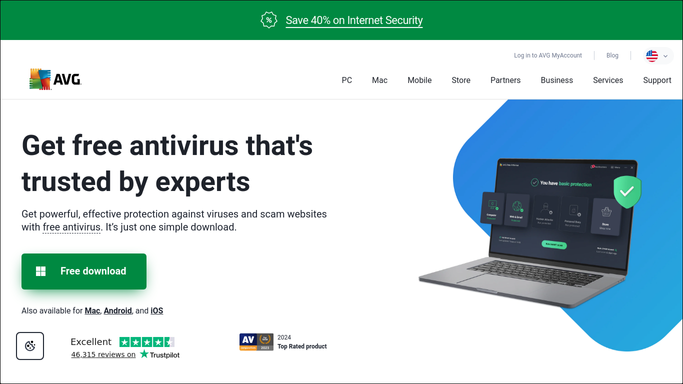
WebRun opens AVG to check device protection status. - Open the AVG Business dashboard and review protection status for every device
- Flag any device with protection turned off or definitions more than a week out of date
- Note the device name and issue for each
Done when Every device's protection status has been checked.
-
2
Google Drive - archive the device status list
drive.google.com How to Automate Google Drive

WebRun opens Google Drive to archive the device status list. - Open the device status folder in Google Drive
- Save a copy of today's device status list with the date
- Keep it alongside prior days for trend review
Done when Today's device status list is archived in Google Drive.
-
3
Slack - alert on unprotected devices
slack.com How to Automate Slack

WebRun opens Slack to alert on unprotected devices. - Post a Slack alert naming any device with protection off or badly out of date
- Include how long the issue has been open
- Stay quiet on days every device is protected
Done when The Slack channel has an alert only on days a device needs attention.
How is each run configured?
Secure by default
Connect once, stays signed in
WebRun signs in once and keeps each session in a persistent environment, so every run picks up right where it left off.
Every action is checked against this policy before it runs.
Questions, answered
Does WebRun turn protection back on itself?
No. WebRun only detects and alerts. Turning protection back on or updating definitions is a step your IT team takes on the device.
Will I get an alert for a routine update in progress?
No. It only alerts on protection that's off or definitions more than a week out of date, not normal update activity.
What happens on a day every device is protected?
Nothing posts to Slack. The device status list is still archived to Google Drive every day either way.
Related templates
Put this on autopilot.
Turn it on in minutes - or have our team set it up for you.