Automated Aura Parental Controls Reviews
Every Monday, WebRun opens Aura, reads screen time by app and device for each child profile along with what the content filters blocked, records the week in Airtable, and texts you a short summary through Twilio so you do not have to check the app every evening.
How do I get a weekly summary of my child's screen time and blocked content?
WebRun gives parents a weekly readout every Monday. It opens Aura, reads each child profile's screen time by app and device along with what the content filters blocked, logs the week in Airtable, and texts the summary through Twilio, so nobody has to check the app nightly.
- Screen time and blocks arrive in one weekly text
- Sharp changes from last week are called out first
- A week-by-week history builds up without any manual logging
Built for parents · guardians · families · carers
What does WebRun do on every run?
The exact actions WebRun takes, in order - in plain language, so you can adjust anything.
-
WebRun signs in and gets to work
Opens
aura.comin a real browser with your saved login - no setup, no API keys. -
1
Aura - read screen time and blocks
aura.com
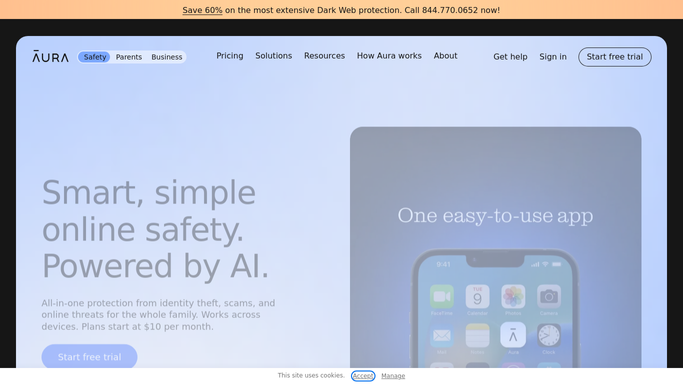
WebRun opens Aura to read screen time and blocks. - Open Aura and go to the parental controls for each child profile
- Read total screen time for the week, broken down by app and by device
- Capture what the content filters blocked and any alerts raised during the week
- Note any profile where screen time rose sharply against the previous week
Done when Each child profile has a week of screen time, blocks, and alerts captured.
-
2
Airtable - log the week per child
airtable.com

WebRun opens Airtable to log the week per child. - Add a row per child per week with total screen time, top apps, devices, and blocks
- Keep the earlier weeks so a trend is visible rather than a single snapshot
- Flag rows where time or blocked attempts jumped against the week before
Done when Airtable holds this week's activity for every child next to the earlier weeks.
-
3
Twilio - text you the summary
twilio.com

WebRun opens Twilio to text you the summary. - Send the parents a short text with each child's screen time, top apps, and what got blocked
- Lead with anything that changed sharply from last week
- Send only to the parent numbers you set up. WebRun never messages a child or changes a filter setting
Done when Parents have this week's readout by text.
How is each run configured?
Secure by default
Connect once, stays signed in
WebRun signs in once and keeps each session in a persistent environment, so every run picks up right where it left off.
Every action is checked against this policy before it runs.
Questions, answered
Will it change filter or screen time settings?
No. WebRun only reads the parental control activity in Aura and reports it. Changing a filter, a time limit, or a device rule stays entirely with the parent.
Who receives the weekly text?
Only the parent numbers you set up in Twilio. WebRun never messages a child, and the readout is not shared anywhere else.
Can I get it more often than weekly?
Yes. Weekly on a Monday is the default because it reads as a summary rather than a stream. Ask for a daily or nightly run instead and WebRun uses that cadence.
Related templates
Put this on autopilot.
Turn it on in minutes - or have our team set it up for you.