Get a weekly DSO trend report without pulling a single report manually
Every Monday morning, WebRun opens Versapay, reads your current receivables balance and credit sales data, calculates DSO for the current and prior three weeks, logs the trend to Google Sheets, and posts a plain-English digest to Slack so your finance team can spot deterioration early.
- No credit card
- Under $0.01 per run
- Cancel anytime
What does WebRun do on every run?
The exact actions WebRun takes, in order - in plain language, so you can adjust anything.
-
WebRun signs in and gets to work
Opens
app.versapay.comin a real browser with your saved login - no setup, no API keys. -
1
Versapay - read receivables and sales data
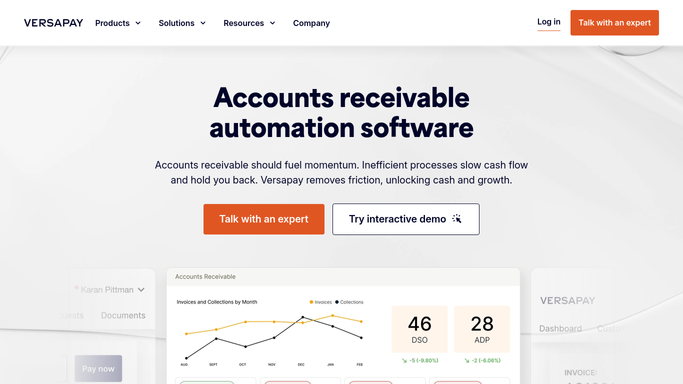
versapay.com How to Automate Versapay

WebRun opens Versapay to read receivables and sales data. - Open Versapay and navigate to the AR summary or reporting view
- Read the current total outstanding receivables balance
- Capture the prior 30-day credit sales figure needed to calculate DSO
- Note the aging bucket breakdown for context
Done when Current receivables balance and sales data are captured from Versapay.
-
2
Google Sheets - log DSO trend history
google.com How to Automate Google Sheets
WebRun opens Google Sheets to log DSO trend history. - Open the DSO trend Google Sheet
- Append today's date, outstanding balance, sales figure, and calculated DSO as a new row
- Calculate the week-over-week change in DSO
- Flag any week where DSO increased by more than 5 days versus the prior week
Done when The DSO trend sheet has been updated with today's calculation and week-over-week delta.
-
3
Slack - post weekly DSO digest
slack.com How to Automate Slack
WebRun opens Slack to post weekly DSO digest. - Post a digest to the finance Slack channel with current DSO, the 4-week trend, and the week-over-week change
- If DSO increased by more than 5 days, include a note highlighting the deterioration
- Include a link to the trend Google Sheet for deeper review
Done when Finance team has this week's DSO trend in Slack with context on whether it is improving or worsening.


How do I get a weekly DSO trend report from Versapay automatically?
Every Monday, WebRun reads your outstanding receivables and sales figures from Versapay, calculates current DSO, and compares it to the prior three weeks. The trend is logged to Google Sheets and a plain-English Slack digest tells your finance team whether DSO is improving or worsening, flagging deterioration before it becomes a problem.
- Finance team knows DSO trend every Monday without manual extraction
- Deterioration flagged automatically before it compounds
- Historical DSO log builds a reliable benchmark over time
Built for CFOs · finance managers · AR directors · controllers · companies managing working capital
How is each run configured?
Secure by default
Connect once, stays signed in
WebRun signs in once and keeps each session in a persistent environment, so every run picks up right where it left off.
Every action is checked against this policy before it runs.
Questions, answered
How does it calculate DSO?
It uses the standard formula: outstanding receivables divided by the prior 30-day credit sales, multiplied by 30, pulling both figures directly from Versapay to ensure the numbers match your AR system of record.
What triggers a deterioration alert in the Slack message?
A note is added automatically whenever this week's DSO is more than 5 days higher than last week's. You can change that threshold to match your finance team's own benchmarks.
Does it contact any customers?
No. The DSO trend digest is a purely internal report posted to Slack and logged in Google Sheets. No customer data leaves the workflow and no customer is contacted.
Related templates
Put this on autopilot.
Turn it on in minutes - or have our team set it up for you.