How to Automate CollaborateMD
For a billing company on CollaborateMD, claim edits, real-time rejection notices, rejection explanations and ERA auto-posting run inside the software. The month-end note to each client practice, requests for claims pending physician, payer portal follow-ups and credential renewals are done by hand; an AI agent such as WebRun can prepare that work customer by customer.
 Written by
Elliot Nakamura
Platform writer
Written by
Elliot Nakamura
Platform writer
 Reviewed by
Julian Adeniyi
Retail operations
Reviewed by
Julian Adeniyi
Retail operations
A billing company runs each client practice as a customer in CollaborateMD
In CollaborateMD, a medical billing company's clients are called customers. Each practice it bills for is a separate customer account, and a biller moves between them from the user bar on any screen. CollaborateMD by EverHealth is cloud-based billing and practice management software with its own clearinghouse, sold to billing companies per claim and to medical practices per provider.
The billers enter charges and work claims, the payment poster clears ERAs, while each practice's account manager answers for its numbers. The owner watches clean-claim rate and days in A/R by client, and decides which users can reach which customers. A claim goes from charge entry through the built-in clearinghouse to the payer, and the remittance comes back to the same customer account.
Month-end is one report pack per client, assembled by hand
On the month's first working day, the account manager runs the same reports for every customer: charges, payments, aging by payer, denials. The numbers go into a summary, and each practice owner gets an email that explains the month in plain words.
Then there are the claims waiting on the practices themselves. A claim on the Claims Pending Physician report is waiting on someone at the client practice, so the biller emails the practice manager, then emails again. Balances past sixty and ninety days need a conversation with each practice about what is still collectable.
Outside CollaborateMD, a biller signs in to payer portals to find out why an accepted claim was never paid, and someone keeps a credentialing spreadsheet of license, DEA and malpractice renewal dates for every provider at every client.
Intelligent Claim Rejection Support explains a rejection inside the claim
Intelligent Claim Rejection Support explains payer rejection codes in plain language, with next steps, inside the claim the biller is working. Before a claim leaves, thousands of payer and clearinghouse edits check it, including CCI, NCD/LCD, LMRP and modifier validations, and acceptance or rejection comes back in real time. Universal Import uses AI-guided column mapping to turn an EHR's exported file into billing-ready claims.
ERA auto-posting applies payments and flags discrepancies and underpayments for review, and centralized worklists gather denied, unpaid and pending claims for follow-up. The 125-plus customizable reports cover denial trends and days in A/R by client or payer. Report Snap and Share, on the Optimize and Pro plans for practices, saves an exact copy of a report for other users in the account to open.
Each of those works for people with a CollaborateMD login. A practice owner given a user for their own customer can open a shared snapshot, but the note explaining why collections dipped is still the account manager's to write. What a payer's portal says about a claim it accepted and has not paid sits on that portal, and a provider's license expiry sits on the state board's lookup; a biller goes and reads both.

Each client practice gets its own month-end summary and request list
For each customer, the account manager edits a drafted month-end summary built from that practice's reports: charges and collections against last month, the payer that slowed down, the denials worth a conversation. The account manager adds what only they know and sends it.
Each Monday the biller sends every practice contact one request covering that practice's claims pending physician, with the patient, amount and date of service for each. Balances past ninety days reach the account manager practice by practice, with the payer and the last payment date, so the talk about what is collectable starts from the facts.
Claims due for follow-up today come to the biller with the payer portal's status attached, so a call starts from the payer's own answer.
The credentialing specialist keeps one sheet of renewal dates for licenses, DEA registrations and malpractice policies, with each license checked monthly against the state board's lookup and anything due inside ninety days flagged. When a new practice signs, the account manager sends a welcome email listing what the New Customer Checklist still needs from the client.
The CollaborateMD user bar lets one WebRun user work every customer in turn
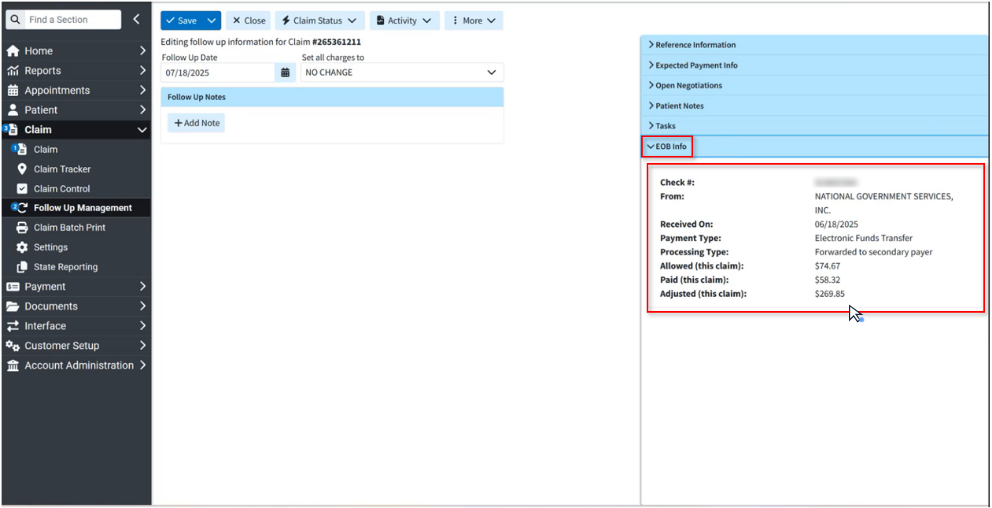
Each month-end summary starts with the same reports, run customer by customer through the user bar. WebRun is an AI agent that works a real Chrome browser, signed in as you. CollaborateMD's billing company plan includes unlimited user licenses, so the billing company adds WebRun as one more user, with access only to the customers ticked for it and a role limited to reports and follow-up.
Only the account manager sends email to a client practice, after reading each draft, and only a biller submits, corrects, appeals or writes off a claim.
Credential renewals have a CollaborateMD workflow too, watching license, DEA and malpractice dates for every provider at every client and drafting each reminder for the credentialing team.
Questions people ask
We bill for dozens of practices. Can one WebRun user cover all of them?
Yes, if its user has access to them. CollaborateMD lets an administrator grant a user access to one or many customer accounts and switch between them from the user bar, so a run works through each customer in turn and keeps each practice's output separate.
Do our client practices need a CollaborateMD login to see their month?
No. Report Snap and Share needs one, since a snapshot opens only for users in your account with access to that customer; the summary WebRun drafts reaches the practice owner by email from the account manager.
Will it submit, correct or appeal claims?
No. It reads claims, worklists and reports and prepares lists and drafts. Correcting, resubmitting, appealing or writing off a claim stays with a biller in CollaborateMD.
How does WebRun find each provider's renewal dates?
License expiry dates come from the state boards' public lookups, and DEA and malpractice dates from the documents your team already holds. WebRun keeps them in one sheet and flags anything expiring within ninety days.
Sources
- Revenue Cycle Management for Medical Billing Companies | CollaborateMD Describes multi-client operations in one system with role-based access, thousands of payer and clearinghouse edits, real-time acceptance or rejection notices and reporting by client, payer and biller.
- AI-Powered Medical Billing Software | CollaborateMD Covers Universal Import, which maps an EHR's exported file into claims, and Intelligent Claim Rejection Support, which explains payer rejection codes with next steps.
- Report Snap and Share | CollaborateMD Knowledge Center Saves an exact copy of a report and shares it with users across the account, limited to the customers each user can access.
- Switch between Customers | CollaborateMD Knowledge Center Billing services with several customer accounts can switch between customers from the user bar on any screen.
- Pricing | CollaborateMD Practices choose Core, Optimize or Pro per provider, with Report Snap and Share and Level 2 claim edits from Optimize up; billing companies pay per claim, typically from $0.32, with 125-plus customizable reports and unlimited user licenses.
- Revenue Cycle Management (RCM) Software | CollaborateMD Centralized worklists for denied, unpaid and pending claims, real-time claim status tracking across the full lifecycle, and ERA auto-posting that flags discrepancies and underpayments for review.
4 ready-made CollaborateMD workflows
Each one names the apps it touches and the exact steps it takes. Open one to read what it will do, then turn it on.


Want one of these running on your own CollaborateMD?
Show WebRun the process once and it will run it on schedule, in your own private browser environment.