Know where every piece of hive equipment is
Every evening, WebRun opens MyApiary, reads the RFID equipment identifiers and the moves logged that day, updates a Google Sheet showing which boxes, supers, and pallets now sit at each apiary site, and posts your team a Slack summary of the day's transfers plus any tagged item that has not been scanned in a while.
- No credit card
- Under $0.01 per run
- Cancel anytime
What does WebRun do on every run?
The exact actions WebRun takes, in order - in plain language, so you can adjust anything.
-
WebRun signs in and gets to work
Opens
www.myapiary.comin a real browser with your saved login - no setup, no API keys. -
1
MyApiary - read RFID equipment moves
myapiary.com How to Automate MyApiary

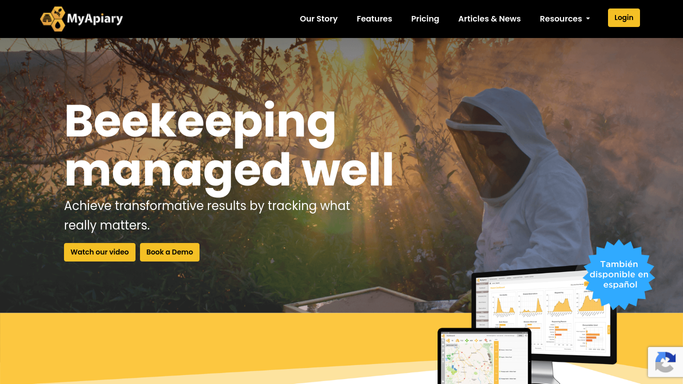
WebRun opens MyApiary to read RFID equipment scans and moves. - Open MyApiary and go to the equipment and RFID records
- Read each tagged item's identifier, type, and its most recent scanned location
- Capture every equipment move logged today, from which site to which site
- Note any tagged item not scanned within your expected window
Done when Today's equipment moves and each tag's latest location have been read.
-
2
Google Sheets - update equipment location by site
google.com How to Automate Google Sheets
WebRun updates the equipment location sheet from the scans. - Open the Equipment Location sheet
- Update each tagged item's current apiary site from its latest scan
- Append a dated line to the movement log for every transfer today
- Flag any item whose last scan is older than your expected window
Done when The sheet reflects where each tagged item sits and logs today's moves.
-
3
Slack - summarise transfers and gaps
slack.com How to Automate Slack
WebRun posts the day's equipment transfers to Slack. - Post an equipment summary to your beekeeping channel
- List the day's transfers with the item type, source site, and destination site
- Flag any tagged item not scanned recently so it can be located
- Link to the Equipment Location sheet for the full inventory
Done when Your team has tonight's transfer summary and any gaps in Slack.


How do I track hive equipment moves by RFID automatically?
Every evening WebRun opens MyApiary, reads the RFID equipment identifiers and the day's moves, and updates a Google Sheet showing which boxes, supers, and pallets now sit at each apiary site. It then posts your team a Slack summary of the transfers and flags any tagged item not scanned recently, so equipment stays tracked across every yard.
- Every tagged box and super has a known location each night
- The day's transfers are logged without manual paperwork
- Gear not scanned recently is flagged before it goes missing
Built for commercial beekeepers · multi-site apiaries · migratory beekeepers · apiary operations managers
How is each run configured?
Secure by default
Connect once, stays signed in
WebRun signs in once and keeps each session in a persistent environment, so every run picks up right where it left off.
Every action is checked against this policy before it runs.
Questions, answered
Does it move equipment or change records in MyApiary?
No. WebRun only reads the RFID scans and moves in MyApiary. It updates the Google Sheet and posts the Slack summary, and never reassigns equipment or edits a scan record itself.
How does it flag missing equipment?
It compares each tagged item's last scan date against the window you set. Anything not scanned within that window is flagged in the Slack summary as potentially missing, so gear does not quietly go astray.
Can it track equipment across multiple sites?
Yes. It reads scans from every apiary site and keeps one location column per tagged item, so a fleet of boxes, supers, and pallets spread across many yards stays visible in a single sheet.
Related templates
Put this on autopilot.
Turn it on in minutes - or have our team set it up for you.