Automated Anyword Weekly Copy Performance Review
Every Monday, WebRun opens Anyword, reads the predicted performance score for every ad copy variant generated that week, messages the marketing lead on WhatsApp with the top and bottom performers, and books a short review slot on Google Calendar to pick which variants go live.
How do I review AI-generated ad copy performance scores every week?
WebRun reads the predicted performance score on every ad copy variant generated in Anyword that week, ranks them, and messages the marketing lead on WhatsApp with the top and bottom performers. It books a short Google Calendar review slot before the next launch, so the strongest copy gets picked with data instead of a gut call under deadline pressure.
- The strongest copy gets picked with a score, not a guess
- A review slot is booked automatically before every launch
- Weak variants get flagged before they ever go live
Built for Marketing teams · performance marketers · e-commerce brands · growth teams
What does WebRun do on every run?
The exact actions WebRun takes, in order - in plain language, so you can adjust anything.
-
WebRun signs in and gets to work
Opens
anyword.comin a real browser with your saved login - no setup, no API keys. -
1
Anyword - read predicted scores for the week's variants
anyword.com
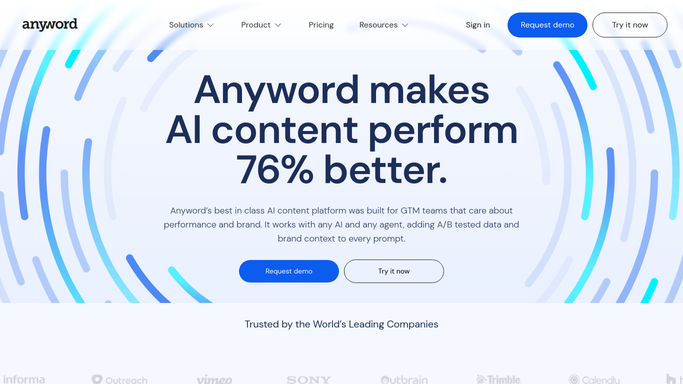
WebRun reads predicted scores for the week's variants in Anyword. - Open Anyword and list this week's generated copy variants
- Read the predicted performance score for each
- Rank them highest to lowest
Done when Every variant from the week has a ranked score.
-
2
WhatsApp - message the top and bottom performers
whatsapp.com

WebRun messages the top and bottom performers on WhatsApp. - Message the marketing lead the top 3 and bottom 3 scored variants
- Include the score and the campaign each belongs to
- Note which ones are worth testing first
Done when The marketing lead has this week's ranked shortlist.
-
3
Google Calendar - book the review slot
calendar.google.com

WebRun books the review slot on Google Calendar. - Book a 15 minute review slot for the marketing lead
- Attach the ranked shortlist to the event
- Set it before the next campaign launch
Done when A review slot is booked before the next launch.
How is each run configured?
Secure by default
Connect once, stays signed in
WebRun signs in once and keeps each session in a persistent environment, so every run picks up right where it left off.
Every action is checked against this policy before it runs.
Questions, answered
Does it publish or launch the ad copy?
No. WebRun only ranks and shares the variants. Choosing and launching copy stays a manual decision made in the review slot.
How is the score calculated?
It's Anyword's own predicted performance score for each variant, based on the copy and the campaign type it was generated for.
Will it message anyone besides the marketing lead?
No. The WhatsApp message only goes to the marketing lead you've set, never to a wider list or a customer.
Related templates
Put this on autopilot.
Turn it on in minutes - or have our team set it up for you.