See your NCR Aloha top-selling items every week without pulling a report
Every Monday, WebRun opens NCR Aloha, reads the item sales mix report for the prior week, ranks items by revenue and by quantity sold, posts the top 10 in each category to Slack, and appends the weekly rankings to a Google Sheets trend log so you can spot rising and falling menu performers.
- No credit card
- Under $0.01 per run
- Cancel anytime
What does WebRun do on every run?
The exact actions WebRun takes, in order - in plain language, so you can adjust anything.
-
WebRun signs in and gets to work
Opens
www.ncrvoyix.comin a real browser with your saved login - no setup, no API keys. -
1
NCR Aloha - read weekly item sales mix
ncrvoyix.com How to Automate NCR Aloha

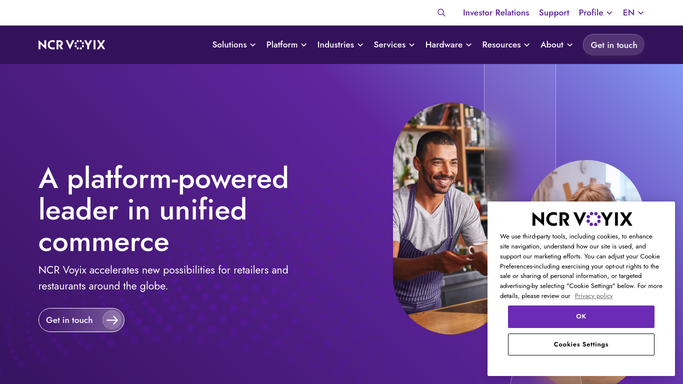
WebRun opens NCR Aloha to read weekly item sales mix. - Open NCR Aloha and navigate to the Item Sales Mix report for the prior 7 days
- Capture item name, quantity sold, and total revenue for every menu item
- Rank items by revenue and separately by quantity sold
Done when All item sales figures for the past week are ranked and ready to report.
-
2
Slack - post top-sellers list
slack.com How to Automate Slack
WebRun opens Slack to post top-sellers list. - Post the top 10 items by revenue and top 10 by quantity to the designated Slack channel
- Note any item that moved significantly from the prior week
Done when The weekly top-sellers list is posted to Slack.
-
3
Google Sheets - log weekly rankings for trend tracking
google.com How to Automate Google Sheets
WebRun opens Google Sheets to log weekly rankings for trend tracking. - Append the full ranked list to the weekly trends Google Sheet with date and rank columns
- Leave the sheet for the menu and purchasing team to review
Done when This week's item rankings are logged in Google Sheets alongside prior weeks.


How do I automatically get a weekly top-sellers report from NCR Aloha?
WebRun opens NCR Aloha every Monday, reads the prior week's item sales mix, ranks every menu item by revenue and by quantity sold, posts the top 10 in each category to Slack, and logs the full rankings to Google Sheets so your team can spot trends and plan purchasing without pulling a manual report.
- Top menu performers surface every Monday without a manual report pull
- A running Google Sheets log tracks weekly ranking shifts for trend spotting
- Purchasing and promotion decisions are backed by fresh item-level data
Built for restaurant managers · executive chefs · multi-unit restaurant operators · food and beverage directors
How is each run configured?
Secure by default
Connect once, stays signed in
WebRun signs in once and keeps each session in a persistent environment, so every run picks up right where it left off.
Every action is checked against this policy before it runs.
Questions, answered
Can I see category-level rankings, not just individual items?
Yes. During setup you can tell WebRun to group by menu category first, such as appetizers, entrees, or beverages, and rank within each group before surfacing the overall top 10.
How far back does the weekly report look?
It reads the prior 7 calendar days in NCR Aloha by default. You can adjust the lookback window to match your business week, for example Sunday to Saturday.
Does it include modifier or add-on sales?
It reads what NCR Aloha's Item Sales Mix report includes. If your configuration tracks modifiers as line items, they appear in the data. You can tell WebRun to filter or surface them separately.
Related templates
Put this on autopilot.
Turn it on in minutes - or have our team set it up for you.