Automated Alibaba Supplier Quote Comparison
Every morning, WebRun opens Alibaba, reads the quotations that arrived on your open requests for quotation, pulls the unit price, minimum order quantity, lead time and payment terms out of each supplier message, puts one card per quote on a Trello board for the request, and sends you a WhatsApp summary of what came in.
How do I compare supplier quotes on the same terms?
Every morning WebRun opens Alibaba, reads the quotations that arrived on your open requests, and pulls the unit price, minimum order quantity, lead time and payment terms out of each supplier reply. It builds one Trello comparison card per quote and sends you a WhatsApp summary, so the choice is made from a table, not a message thread.
- Every quote is compared in the same fields instead of across chat threads
- Missing terms are flagged with a clarification already drafted
- The buying decision starts from a table ordered by unit price at your volume
Built for ecommerce buyers · procurement teams · importers · product sourcing agents
What does WebRun do on every run?
The exact actions WebRun takes, in order - in plain language, so you can adjust anything.
-
WebRun signs in and gets to work
Opens
alibaba.comin a real browser with your saved login - no setup, no API keys. -
1
Alibaba - read the new quotes
alibaba.com
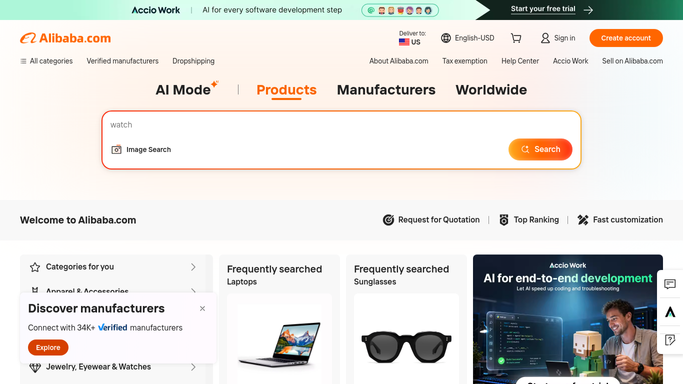
WebRun opens Alibaba to read the new quotes. - Open Alibaba and go to your open requests for quotation
- Read the quotations received since yesterday and note the supplier, unit price, minimum order quantity, lead time and payment terms
- Where a quote leaves a term out, mark it as missing rather than guessing, and draft a short clarification message that stays unsent
Done when Every new quote has its terms captured or marked missing.
-
2
Trello - build the comparison board
trello.com

WebRun opens Trello to build the comparison board. - Keep one board per request and one card per supplier quote
- Put unit price, minimum order quantity, lead time and payment terms in the same fields on every card
- Order the cards by landed unit price at your target volume, so like is compared with like
Done when Every quote on the request sits on the board in the same shape.
-
3
WhatsApp - summarise the day's arrivals
whatsapp.com

WebRun opens WhatsApp to summarise the day's arrivals. - Send yourself the quotes that arrived today with their headline price and lead time
- Name the suppliers whose quote is missing a term and has a clarification waiting for you to send
- Keep it internal. WebRun never messages a supplier or accepts a quote
Done when You know what arrived today and what needs chasing.
How is each run configured?
Secure by default
Connect once, stays signed in
WebRun signs in once and keeps each session in a persistent environment, so every run picks up right where it left off.
Every action is checked against this policy before it runs.
Questions, answered
Will it message suppliers or accept a quote?
No. Clarification messages are drafted and left unsent, and no order is ever placed. Contacting a supplier and committing to a quote both stay with you.
What if a supplier quotes in a different currency or unit?
The card shows the quote as given and notes the mismatch. WebRun does not silently convert, because a wrong rate would make the comparison misleading.
Does it judge which supplier is best?
No. It puts every quote in the same fields and orders them by unit price at your target volume. The decision, including quality and risk, stays yours.
Related templates
Put this on autopilot.
Turn it on in minutes - or have our team set it up for you.