Review the schema changes waiting on your approval
Every morning, WebRun opens Airbyte, finds the connections holding detected source schema changes, records which streams gained, lost, or altered a field and where those streams land, drafts a note to the owning team in Gmail, and posts the approval queue to Slack so a new column reaches the warehouse in days rather than months.
- No credit card
- Under $0.01 per run
- Cancel anytime
How do I keep on top of Airbyte schema changes waiting for approval?
WebRun checks Airbyte every morning for connections holding detected source schema changes. It records which streams gained, lost, or changed a field and where those streams land, drafts a note to the downstream owner in Gmail for you to send, and posts the approval queue to Slack with how long each change has waited.
- New source fields reach the warehouse in days, not months
- Removed fields and type changes are flagged before models break
- Every pending change shows how long it has been waiting
Built for analytics engineers · data platform teams · data engineers · BI teams · startups
What does WebRun do on every run?
The exact actions WebRun takes, in order - in plain language, so you can adjust anything.
-
WebRun signs in and gets to work
Opens
cloud.airbyte.comin a real browser with your saved login - no setup, no API keys. -
1
Airbyte - find connections holding schema changes
airbyte.com
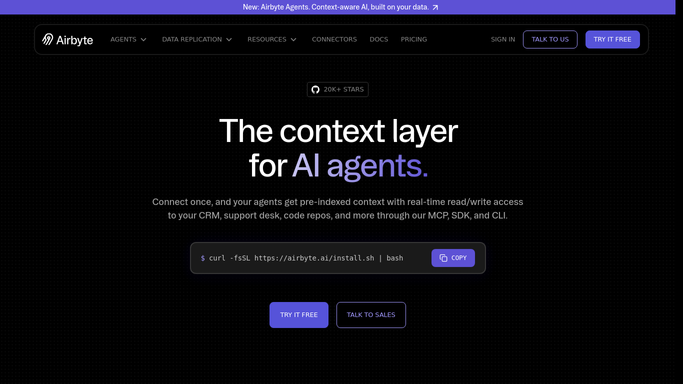
WebRun opens Airbyte to find connections holding schema changes. - Open Airbyte and list the connections flagged with detected schema changes
- For each one, record the source, the destination, and the streams affected
- Write down what actually changed: a new field, a removed field, or a changed data type
- Note how long each change has been waiting and whether the connection is still syncing meanwhile
- Read only. WebRun never approves a schema change or edits a connection
Done when Every pending schema change is listed with its connection, streams, and the change itself.
-
2
Gmail - draft the note to the data owner
gmail.com How to Automate Gmail

WebRun opens Gmail to draft the note to the data owner. - Draft a short note to the team that owns each affected destination table
- Explain the change in plain terms and what it means for their models downstream
- Ask for a yes or no on approving it, and name the connection so nobody has to hunt
- Leave every email unsent. WebRun never emails another team on its own
Done when A note is drafted for each downstream owner affected by a pending change.
-
3
Slack - post the approval queue
slack.com How to Automate Slack

WebRun opens Slack to post the approval queue. - Post this morning's approval queue to your data engineering channel
- Put removed fields and changed types first, since those break models, then new fields
- Show how many days each change has been pending so nothing quietly ages out
- Say plainly which connections are clean and need no attention today
Done when The team has this morning's schema approval queue in Slack.
How is each run configured?
Secure by default
Connect once, stays signed in
WebRun signs in once and keeps each session in a persistent environment, so every run picks up right where it left off.
Every action is checked against this policy before it runs.
Questions, answered
Will it approve schema changes for me?
No. WebRun reports what is pending and never approves a change or edits a connection. Approving alters what lands in your warehouse, so it stays a deliberate decision by the engineer who owns the table.
Does it email other teams automatically?
No. The note to each downstream owner is left as an unsent Gmail draft for you to review. Only the internal Slack queue posts on its own.
How is this different from a sync health check?
A health check catches syncs that failed. This catches syncs that succeeded while quietly holding back a new column, which is why a field can exist at the source for months and never reach the warehouse.
Related templates
Put this on autopilot.
Turn it on in minutes - or have our team set it up for you.