Log every variable-rate prescription as it is built
Every morning, WebRun opens FieldX, lists the variable-rate prescription maps built from soil samples and management zones, reads the field, product, rate range, and acres for each, records them in a Google Sheets prescription log, and posts a short summary to Slack so the team has a running record of what was prescribed.
- No credit card
- Under $0.01 per run
- Cancel anytime
What does WebRun do on every run?
The exact actions WebRun takes, in order - in plain language, so you can adjust anything.
-
WebRun signs in and gets to work
Opens
fieldx.comin a real browser with your saved login - no setup, no API keys. -
1
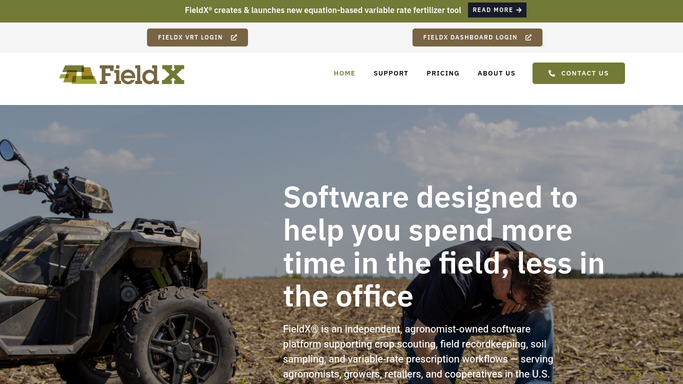
FieldX - list new prescriptions
fieldx.com How to Automate FieldX

WebRun opens FieldX VRT to list newly built prescriptions. - Open FieldX VRT and list variable-rate prescriptions built since the last run
- Read the field, crop, product, rate range, and acres for each map
- Note which soil-sample or management-zone data each prescription was built from
Done when Every newly built prescription is captured with its product, rates, and acres.
-
2
Google Sheets - record each prescription
google.com How to Automate Google Sheets
WebRun records each prescription in the Google Sheets log. - Open the prescription log in Google Sheets
- Add a row per prescription with the field, product, rate range, acres, and source data
- Total the acres and product by grower so the log stays report-ready
Done when The log has a row for every prescription built today.
-
3
Slack - summarize for the team
slack.com How to Automate Slack
WebRun posts the prescription summary to Slack. - Post a short summary to the team channel: prescriptions built, acres, and products
- Group by grower so each account's work is clear at a glance
- Keep it internal to the team, never sending it to the grower
Done when The team has today's prescription summary in Slack.


How do I keep a log of variable-rate prescriptions?
Every morning, WebRun opens FieldX VRT and lists the variable-rate prescription maps built from soil and zone data, reading the field, product, rate range, and acres. It records each in a Google Sheets log and posts a short summary to Slack, so the team keeps an auditable, report-ready record of every prescription built.
- Every prescription is logged the day it is built, not reconstructed later
- The log ties each map to its product, rates, acres, and source data
- Acres and product totaled by grower for billing and season reports
Built for precision ag specialists · agronomists · ag retailers · crop consultants
How is each run configured?
Secure by default
Connect once, stays signed in
WebRun signs in once and keeps each session in a persistent environment, so every run picks up right where it left off.
Every action is checked against this policy before it runs.
Questions, answered
Does it send prescriptions to equipment or growers?
No. WebRun only logs what was built in FieldX to Google Sheets and posts an internal Slack summary. It never pushes a map to equipment, a controller, or a grower on its own.
What does it record for each prescription?
It records the field, crop, product, rate range, acres, and the soil-sample or zone data the map was built from, so the log is a complete, auditable record of every prescription.
Can it total by grower for billing or reporting?
Yes. WebRun totals acres and product by grower in the sheet, so the log doubles as a report-ready basis for billing or a season summary without extra work.
Related templates
Put this on autopilot.
Turn it on in minutes - or have our team set it up for you.