Turn each scouting report into a grower email draft
Every few minutes, WebRun opens FieldX, finds scouting reports finished since the last run, reads the field, crop stage, and the observations you logged, and drafts a clear summary email to the grower in Gmail with the report attached, then leaves each email unsent for you to review and send.
- No credit card
- Under $0.01 per run
- Cancel anytime
What does WebRun do on every run?
The exact actions WebRun takes, in order - in plain language, so you can adjust anything.
-
WebRun signs in and gets to work
Opens
fieldx.comin a real browser with your saved login - no setup, no API keys. -
1
FieldX - pull the finished report
fieldx.com How to Automate FieldX

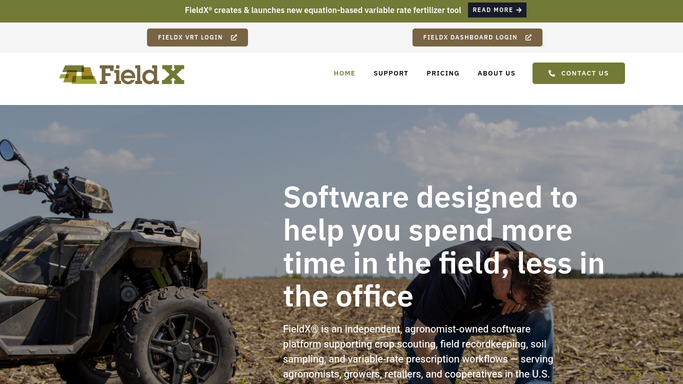
WebRun opens FieldX to pull each newly finished scouting report. - Open FieldX and filter scouting reports to those completed since the last run
- Read the grower, farm, field, crop stage, and the observations and photos logged on each
- Skip any report whose email was already drafted
Done when Every newly finished scouting report is listed with its grower and findings.
-
2
Gmail - draft the grower email
gmail.com How to Automate Gmail
WebRun drafts the grower summary in Gmail and leaves it unsent. - Draft a short, plain-language email to the grower summarizing the field, crop stage, and key findings
- Attach the FieldX report and note any follow-up the scout recommended
- Save it as a draft and leave it unsent for you to review and send
Done when A ready-to-send draft sits in Gmail for every finished report.

How do I turn a scouting report into a grower email?
Every few minutes, WebRun opens FieldX, finds newly finished scouting reports, and reads the field, crop stage, and logged observations. It then drafts a clear summary email to the grower in Gmail with the report attached and leaves it unsent for you to review, so growers hear back the same day and nothing goes out unchecked.
- Growers get a plain-language summary the same day, not next week
- Every email carries the FieldX report and recommended follow-up
- You review and send, so nothing goes to a grower unchecked
Built for crop scouts · independent agronomists · ag retailers · crop consultants
How is each run configured?
Secure by default
Connect once, stays signed in
WebRun signs in once and keeps each session in a persistent environment, so every run picks up right where it left off.
Every action is checked against this policy before it runs.
Questions, answered
Will it email growers without me?
No. WebRun writes each email as a draft in Gmail and leaves it unsent. You read the summary, adjust the tone, and click send, so nothing reaches a grower without your approval first.
Where does the summary come from?
It comes straight from the FieldX report: the field, crop stage, and the observations and photos your scout logged. WebRun rewrites them into plain language a grower can act on.
Will it draft the same report twice?
No. WebRun skips any report whose email was already drafted and only handles reports finished since the last run, so a grower is never sent a duplicate.
Related templates
Put this on autopilot.
Turn it on in minutes - or have our team set it up for you.