Track every soil sample from field to lab
Every morning, WebRun opens FieldX, reviews grid and zone soil samples across your fields, notes which are collected, submitted to the lab, or still outstanding, updates a running tracker in Google Sheets, and posts a short status digest to Slack so nothing stalls between the field and the lab.
- No credit card
- Under $0.01 per run
- Cancel anytime
What does WebRun do on every run?
The exact actions WebRun takes, in order - in plain language, so you can adjust anything.
-
WebRun signs in and gets to work
Opens
fieldx.comin a real browser with your saved login - no setup, no API keys. -
1
FieldX - check sample status
fieldx.com How to Automate FieldX

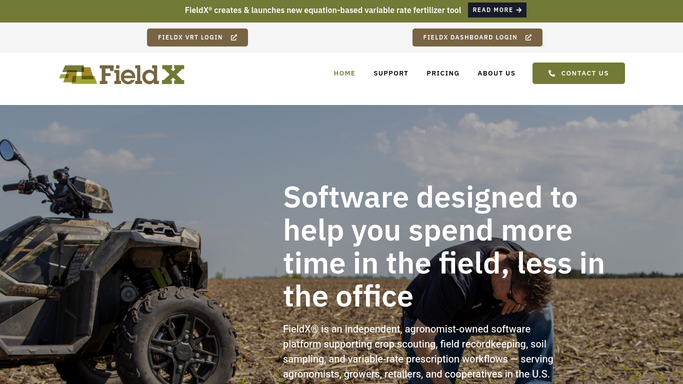
WebRun opens FieldX to check each field's soil-sample status. - Open FieldX and review grid and zone soil-sampling jobs across active fields
- Note for each field whether samples are collected, submitted to the lab, or still outstanding
- Capture the sample date, depth, and the lab each batch was sent to
Done when Every field's soil-sample status is captured with its dates and lab.
-
2
Google Sheets - update the tracker
google.com How to Automate Google Sheets
WebRun updates the soil-sample tracker in Google Sheets. - Open the soil-sample tracker in Google Sheets
- Update each field's row with collected, submitted, or outstanding and the relevant dates
- Flag any field where samples have sat uncollected past your target window
Done when The tracker reflects today's status for every field.
-
3
Slack - post the digest
slack.com How to Automate Slack
WebRun posts the soil-sample tracking digest to Slack. - Post a short digest to your team channel: collected, submitted, and outstanding counts
- List fields overdue for collection or awaiting lab submission first
- Keep it internal to the team, never messaging the grower
Done when The team has today's soil-sample tracking digest in Slack.


How do I track soil samples from field to lab?
Every morning, WebRun opens FieldX and reviews grid and zone soil sampling across your fields, noting which samples are collected, submitted to the lab, or still outstanding. It updates a running tracker in Google Sheets and posts a status digest to Slack, so your team sees at a glance what is stalled between the field and the lab.
- No batch of samples sits uncollected past your target window
- One tracker shows collected, submitted, and outstanding by field
- The team opens Slack to a fresh sampling status each morning
Built for soil samplers · precision ag teams · agronomists · ag retailers
How is each run configured?
Secure by default
Connect once, stays signed in
WebRun signs in once and keeps each session in a persistent environment, so every run picks up right where it left off.
Every action is checked against this policy before it runs.
Questions, answered
Does it message growers or the lab directly?
No. WebRun only updates your Google Sheets tracker and posts an internal Slack digest for your team. It never contacts a grower or a soil lab on its own.
How does it know a sample is still outstanding?
It reads the live sampling status in FieldX each morning, comparing collected and submitted flags against your target window, and marks any field that has slipped past it.
Can it track both grid and zone sampling?
Yes. WebRun reviews both grid and management-zone sampling jobs in FieldX and tracks each field's status the same way, so nothing falls through regardless of method.
Related templates
Put this on autopilot.
Turn it on in minutes - or have our team set it up for you.