Alert the team when pest pressure crosses threshold
Every few minutes, WebRun opens FieldX, reads the pest, weed, and disease observations your scouts logged, compares each count against the threshold you set, and when a field crosses it, posts a clear alert to Slack and Telegram naming the field, the pest, and the level, so the team can plan a treatment before it spreads.
- No credit card
- Under $0.01 per run
- Cancel anytime
What does WebRun do on every run?
The exact actions WebRun takes, in order - in plain language, so you can adjust anything.
-
WebRun signs in and gets to work
Opens
fieldx.comin a real browser with your saved login - no setup, no API keys. -
1
FieldX - read pest observations
fieldx.com How to Automate FieldX

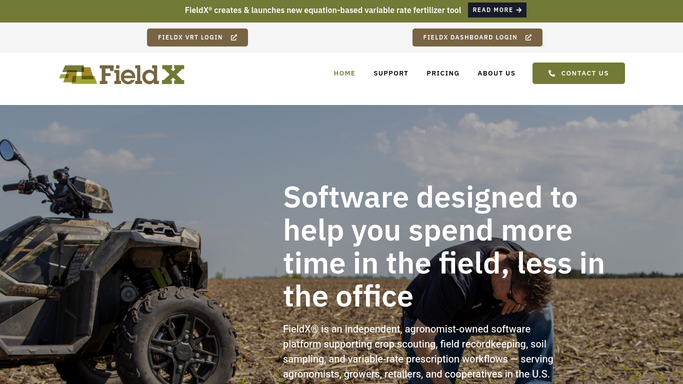
WebRun opens FieldX to read logged pest and disease counts. - Open FieldX and read pest, weed, and disease observations logged since the last run
- For each field, compare the counts against the action threshold you set for that pest and crop
- Flag any field at or above threshold with the pest, level, and growth stage
Done when Every field crossing a pest threshold is flagged with its level.
-
2
Slack - post the field alert
slack.com How to Automate Slack
WebRun posts a threshold alert to the agronomy Slack channel. - Post a short alert to your agronomy channel for each flagged field
- Name the grower, field, pest, level, and how far over threshold it sits
- Keep it internal to the team, never messaging the grower directly
Done when Each over-threshold field has an alert in Slack.
-
3
Telegram - ping the field team
telegram.org How to Automate Telegram
WebRun pings the field team in Telegram about pest pressure. - Send the same alert to the field team's Telegram group for fast reach
- Put the highest-pressure fields first so the most urgent one is seen
- Leave it to the team to plan a treatment, never applying anything itself
Done when The field team has today's pest alerts in Telegram.


How do I get alerted when pest pressure crosses threshold?
Every few minutes, WebRun opens FieldX and reads the pest, weed, and disease observations your scouts logged, comparing each against the thresholds you set. When a field crosses one, it posts a clear alert to Slack and Telegram naming the field, pest, and level, so your team can plan a treatment before the problem spreads.
- Over-threshold fields reach the team in minutes, not at week's end
- Alerts name the field, pest, and how far over threshold it sits
- The team decides treatment, WebRun never sprays or advises the grower
Built for crop scouts · agronomists · field-service ag teams · crop consultants
How is each run configured?
Secure by default
Connect once, stays signed in
WebRun signs in once and keeps each session in a persistent environment, so every run picks up right where it left off.
Every action is checked against this policy before it runs.
Questions, answered
Does it tell the grower to spray on its own?
No. WebRun only posts an internal alert to your Slack and Telegram team channels. It never messages the grower and never recommends or applies a treatment. Your agronomist decides the next step.
How does it decide a field crossed the line?
It compares the pest, weed, and disease counts logged in FieldX against the action thresholds you set for each pest and crop, and alerts only when a field is at or above that level.
Will it alert on the same field over and over?
No. WebRun tracks what it has already flagged and alerts on new or worsening pressure since the last run, so the team is not pinged repeatedly about the same unchanged field.
Related templates
Put this on autopilot.
Turn it on in minutes - or have our team set it up for you.