Catch regulatory changes before they catch your clients
Every morning, WebRun checks SEC.gov for new final rules, proposed rules, and risk alerts, matches each release against every client's business type and compliance calendar in ComplySci, adds any new deadline to the affected client's calendar, and posts your team a Slack digest naming which clients are affected.
- No credit card
- Under $0.01 per run
- Cancel anytime
What does WebRun do on every run?
The exact actions WebRun takes, in order - in plain language, so you can adjust anything.
-
WebRun signs in and gets to work
Opens
www.sec.govin a real browser with your saved login - no setup, no API keys. -
1
SEC.gov - check for new rule releases
sec.gov

WebRun opens SEC.gov to check for new rule releases. - Open SEC.gov and check the day's new final rules, proposed rules, and risk alerts
- Filter to items relevant to investment advisers and broker-dealers
- Capture the rule title, the effective or comment date, and a link to the release
Done when Every new relevant SEC release from the last day is captured.
-
2
ComplySci (COMPLY) - match changes to client calendars
comply.com How to Automate ComplySci (COMPLY)
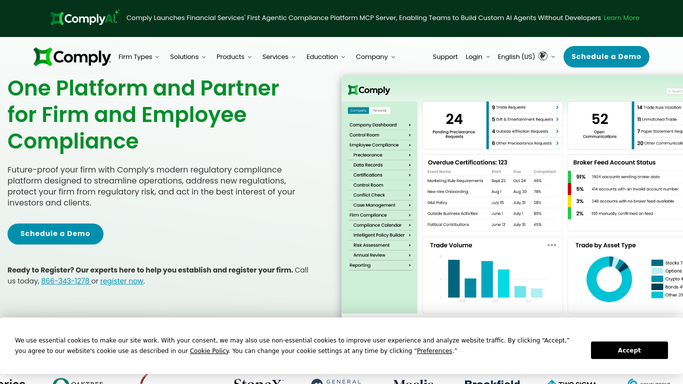
WebRun opens ComplySci (COMPLY) to match changes to client calendars. - Open ComplySci and check each client's compliance calendar and program details against the day's releases
- Note which clients are affected based on their business type and existing deadlines
- Add any new deadline to the client's compliance calendar
Done when Every release has been matched to the clients it affects, or marked not applicable.
-
3
Slack - post the regulatory digest
slack.com How to Automate Slack
WebRun opens Slack to post the regulatory digest. - Post a digest of the day's relevant releases with the affected clients named
- Link the original release for your team to read in full
- Flag any release with a comment or effective date inside 30 days
Done when Your team has today's regulatory digest in Slack with clients named.

How do I track new SEC regulatory changes across multiple RIA and broker-dealer clients?
WebRun checks SEC.gov every morning for new final rules, proposed rules, and risk alerts, then matches each release against your clients' compliance calendars in ComplySci. It posts your team a Slack digest naming which clients are affected and adds any new deadline to their calendar, so a regulatory change reaches your team before it reaches a client's inbox.
- New regulatory releases reach your team the same morning they're published
- Every release is matched to the specific clients it affects
- New deadlines land on a client's compliance calendar automatically
Built for investment adviser compliance consultants · outsourced chief compliance officers · compliance consulting firms · broker-dealer compliance officers
How is each run configured?
Secure by default
Connect once, stays signed in
WebRun signs in once and keeps each session in a persistent environment, so every run picks up right where it left off.
Every action is checked against this policy before it runs.
Questions, answered
Does it file or comment on a rule on our behalf?
No. WebRun only reads SEC.gov for new releases and reports what's relevant. Any comment letter or regulatory response is drafted and filed by your team, not WebRun.
How does it know which clients a release affects?
It checks each client's business type and existing compliance calendar in ComplySci against the release, so a broker-dealer rule doesn't get flagged for an RIA only client and vice versa.
Does it add the deadline to our calendar automatically?
Yes, to each affected client's compliance calendar in ComplySci, so the new deadline is tracked going forward alongside their existing filing dates.
Related templates
Put this on autopilot.
Turn it on in minutes - or have our team set it up for you.