Get a plain monthly snapshot of your Acorns balances
On the first morning of each month, WebRun opens Acorns, reads the current balance of each account along with what was contributed and withdrawn during the month just ended, posts a short snapshot to your private Slack channel, and notes in Microsoft Teams whenever a balance crosses a savings milestone you set.
- No credit card
- Under $0.01 per run
- Cancel anytime
How do I keep a monthly record of my Acorns account balances?
WebRun records your Acorns balances at the start of every month. It reads each account's closing balance plus the contributions and withdrawals from the month just ended, posts the snapshot to your private Slack channel, and notes in Microsoft Teams when a balance crosses a savings milestone you set.
- A dated balance record every month without opening the app
- Savings milestones get noticed the month you hit them
- Contributions and withdrawals sit side by side in one line
Built for everyday savers · first time investors · budget trackers · personal finance enthusiasts
What does WebRun do on every run?
The exact actions WebRun takes, in order - in plain language, so you can adjust anything.
-
WebRun signs in and gets to work
Opens
www.acorns.comin a real browser with your saved login - no setup, no API keys. -
1
Acorns - read balances and contributions
acorns.com
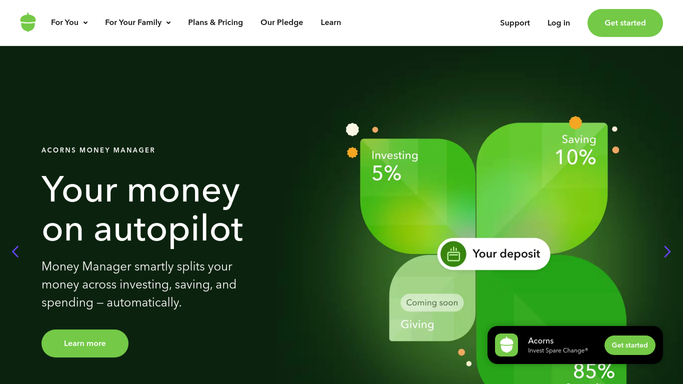
WebRun opens Acorns to read balances and contributions. - Open Acorns on the first run of a new month
- Read the current balance shown for each account on your dashboard
- Capture total contributions and any withdrawals recorded during the month just ended
- Note the change in balance against the snapshot you took last month
Done when Every account has a month-end balance and a contribution total captured.
-
2
Slack - post the monthly snapshot
slack.com How to Automate Slack

WebRun opens Slack to post the monthly snapshot. - Open your private Slack channel for personal finance notes
- Post one line per account with the closing balance, the month's contributions and the change since last month
- Add a single total line across all accounts
- Report the figures exactly as Acorns shows them. Never add a recommendation or a forecast
Done when This month's snapshot is posted in your private Slack channel.
-
3
Microsoft Teams - note milestones you crossed
microsoft.com How to Automate Microsoft Teams

WebRun opens Microsoft Teams to note milestones you crossed. - Open your chosen Microsoft Teams chat
- Post a short note only when a balance has crossed one of the savings milestones you listed
- Name the account, the milestone reached and the closing balance
- Stay silent in months where no milestone was crossed
Done when Every crossed milestone has been noted in Teams, or nothing was posted because none were.
How is each run configured?
Secure by default
Connect once, stays signed in
WebRun signs in once and keeps each session in a persistent environment, so every run picks up right where it left off.
Every action is checked against this policy before it runs.
Questions, answered
Can it move money or change my investments?
No. WebRun only reads the balances your dashboard already shows. It never invests, withdraws, transfers, changes a portfolio setting or edits a recurring contribution. Every money decision stays with you.
Does it give investment advice?
No. The snapshot reports the numbers Acorns displays and nothing more. WebRun adds no recommendation, no forecast and no opinion on what you should buy or sell.
Where do the figures go?
Only to the private Slack channel and Teams chat you choose during setup. Nothing is posted publicly, emailed out or shared with anyone you did not pick.
Related templates
Put this on autopilot.
Turn it on in minutes - or have our team set it up for you.