Rescue the real messages your spam folder swallowed
Every morning, WebRun opens ABV Mail, reads what landed in the spam folder overnight, picks out messages from senders in your contacts or with subject lines about invoices, orders, and deliveries, posts a short rescue list to Slack, and pings you on WhatsApp so nothing real stays buried.
- No credit card
- Under $0.01 per run
- Cancel anytime
How do I find real emails that ended up in my spam folder?
WebRun opens your ABV Mail spam folder every morning and reads what was quarantined overnight. It picks out messages from known contacts or about invoices and orders, posts that short rescue list to Slack, and pings you on WhatsApp, so a real customer email is not lost for a week.
- A customer email lost to spam is found the next morning
- You read a short flagged list instead of the whole junk folder
- Nothing is deleted, moved, or replied to without you
Built for small business owners · sole traders · office managers · freelancers
What does WebRun do on every run?
The exact actions WebRun takes, in order - in plain language, so you can adjust anything.
-
WebRun signs in and gets to work
Opens
mail.abv.bgin a real browser with your saved login - no setup, no API keys. -
1
ABV Mail - read the spam folder
abv.bg
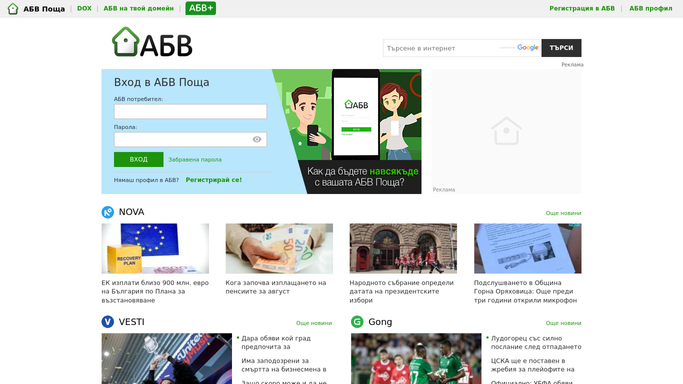
WebRun opens ABV Mail to read the spam folder. - Open ABV Mail and go to the spam folder
- Read the messages that arrived since the last run
- Mark the ones from senders already in your contacts or from domains you deal with
- Mark subject lines about invoices, orders, deliveries, or bookings
- Leave every message where it is. Moving mail out of spam stays your call
Done when Overnight spam has been read and the likely genuine messages identified.
-
2
Slack - post the rescue list
slack.com How to Automate Slack

WebRun opens Slack to post the rescue list. - Post the rescue list with the sender, the subject, and the time received
- Say why each one looks genuine, such as a known contact or an invoice subject
- Keep it short. Obvious junk is never listed
Done when Today's rescue list is in Slack with a reason beside each message.
-
3
WhatsApp - ping you about the urgent ones
whatsapp.com How to Automate WhatsApp

WebRun opens WhatsApp to ping you about the urgent ones. - Send yourself a note when a quarantined message is from a known customer
- Include the sender and subject so you can act from your phone
- Message only your own number or your internal group, never the sender
Done when You have been pinged about any genuine looking mail sitting in spam.
How is each run configured?
Secure by default
Connect once, stays signed in
WebRun signs in once and keeps each session in a persistent environment, so every run picks up right where it left off.
Every action is checked against this policy before it runs.
Questions, answered
Will it delete anything in my spam folder?
No. WebRun never deletes a message and never empties the folder. It reads what is there, lists what looks genuine, and leaves every message exactly where it found it.
Does it reply to the senders?
No. The rescue list goes to your own Slack channel and your own WhatsApp only. WebRun never replies to a quarantined sender or confirms your address is real.
How does it tell real mail from junk?
It checks the sender against your contacts and the domains you already deal with, then looks for subject lines about invoices, orders, deliveries, and bookings. Everything else is left alone.
Related templates
Put this on autopilot.
Turn it on in minutes - or have our team set it up for you.