Keep a weekly record of what your wallet holds
Every Sunday evening, WebRun opens the 1inch portfolio view for your connected wallets, records every token balance and its value, saves a dated snapshot file to Google Drive, and sends you a Telegram summary of what changed since the last one.
- No credit card
- Under $0.01 per run
- Cancel anytime
How do I keep a weekly record of my crypto wallet holdings?
WebRun opens your 1inch portfolio view every Sunday, records every token balance and its value for each wallet you track, and saves a dated snapshot file to Google Drive. It then sends you a Telegram summary with the total value, the weekly change, and any token that entered or left.
- A dated holdings record exists for every week, not just today
- Tokens that appeared or disappeared are named in the weekly summary
- Read-only by design: no swap, signature, or transfer is ever performed
Built for DeFi investors · crypto treasurers · long-term holders · accountants handling crypto
What does WebRun do on every run?
The exact actions WebRun takes, in order - in plain language, so you can adjust anything.
-
WebRun signs in and gets to work
Opens
1inch.ioin a real browser with your saved login - no setup, no API keys. -
1
1inch - read your wallet holdings
1inch.io
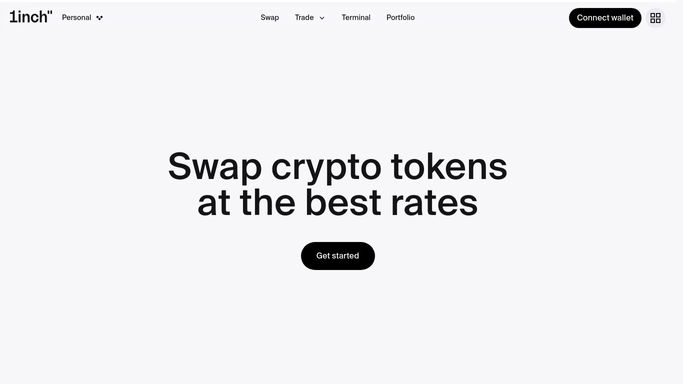
WebRun opens 1inch to read your wallet holdings. - Open 1inch and load the portfolio view for each wallet address you track
- Record every token held, its quantity, and its current value
- Note which network each holding sits on
- Record the total portfolio value as shown on screen
Done when Every tracked wallet has a full list of holdings and a total value.
-
2
Google Drive - archive the dated snapshot
drive.google.com How to Automate Google Drive

WebRun opens Google Drive to archive the dated snapshot. - Open your holdings folder in Google Drive
- Create a new file named with the run date and the wallet label
- Write one row per token with network, quantity, value, and share of the total
- Keep older snapshots untouched so the history builds week by week
Done when This week's dated snapshot is saved alongside the previous ones.
-
3
Telegram - summarise what changed
telegram.org How to Automate Telegram

WebRun opens Telegram to summarise what changed. - Send yourself a short summary of the week
- Lead with the total value and the change against the previous snapshot
- List any token that entered or left the wallet since last week
- Link the new Drive file so the detail is one tap away
Done when You have this week's holdings summary in Telegram.
How is each run configured?
Secure by default
Connect once, stays signed in
WebRun signs in once and keeps each session in a persistent environment, so every run picks up right where it left off.
Every action is checked against this policy before it runs.
Questions, answered
Can it trade, swap, or move funds?
No. This workflow is read-only. WebRun views the 1inch portfolio screen and copies what it shows. It never approves a transaction, signs anything, initiates a swap, or moves a token. Trading stays entirely in your hands.
Where does the record end up?
In a Google Drive folder you choose, as one dated file per run. Older files are never overwritten, so after a few months you have a week-by-week history you can chart or hand to an accountant.
Does it need my seed phrase or private key?
No. It reads the public portfolio view for the wallet addresses you give it. No key, seed phrase, or signing permission is ever requested or stored.
Related templates
Put this on autopilot.
Turn it on in minutes - or have our team set it up for you.